Phone orders in restaurants — how to reduce the chaos
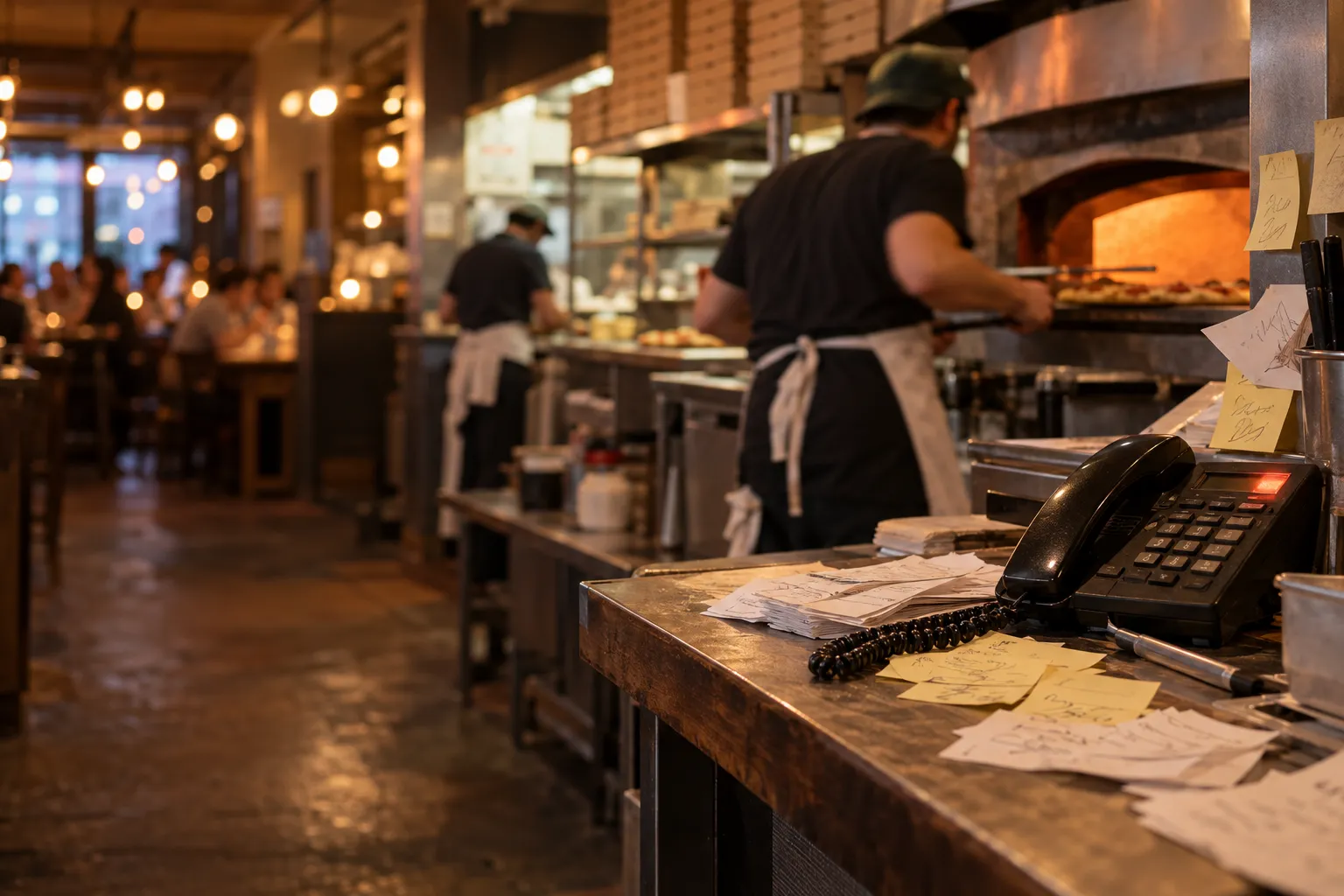
Phone orders in restaurants are straightforward only when the phone rings occasionally. The problem starts at 7:00 pm on a Friday, when the dining room is busy, there is a queue at the till, the kitchen is waiting for information and the phone rings again. Someone has to stop what they are doing, answer the call and write down the dishes, extras, address, phone number and payment method.
At times like these, it is easy to get the street wrong, miss an extra or put a note in the wrong place. It is even worse when nobody can answer the phone. The guest may try again, but they may just as easily order somewhere else.
This does not mean you have to stop taking phone orders completely. In many venues, they are still needed. The goal is to make phone orders one organised sales channel rather than a separate process running alongside the rest of the restaurant.
Why does the phone create chaos exactly when you are busiest?
A phone call requires one person's full attention for the entire conversation. It is difficult to listen carefully to a guest's address while taking a payment at the till and answering the kitchen's question about a previous order at the same time.
During a single call, you usually need to establish:
- what the guest wants to order,
- which dish variant they want,
- which extras they want,
- whether they have any preparation notes,
- whether the order is for collection or delivery,
- which address it should be delivered to,
- how to contact the guest,
- when the order should be ready.
Every additional detail increases the risk of a mistake, particularly when information is being written down quickly on a piece of paper or passed verbally to another member of staff.
An unclear note quickly becomes a kitchen problem
The person taking the order may know exactly what they wrote. A cook reading the shorthand a few minutes later may interpret it differently.
For example, a guest orders a pizza without onions, with extra cheese, and asks to swap the sauce. A short note is scribbled down quickly at the till. If it reaches the kitchen among several other pieces of paper, there is a greater chance that one of those details will be missed.
Addresses are particularly prone to mistakes
With delivery orders, an incorrect address causes more than a badly prepared dish. The driver may go to the wrong place, lose time and leave the guest waiting.
This is particularly common with similar street names, flat numbers, entry codes or addresses given over the phone in a noisy environment.
An unanswered call can mean a lost order
Online, a guest can start placing an order whether or not a member of staff is free at that moment. A phone call, by contrast, requires an immediate response.
If the phone rings during peak service, there are only a few options:
- someone stops what they are doing and answers,
- the guest waits on the line,
- the call is rejected,
- the phone keeps ringing without an answer.
You do not know whether someone who could not get through will try again in five minutes. They may just as easily open another restaurant's website.
That is why one of the most effective ways to reduce the problem is not necessarily to employ someone solely to answer the phone, but to give guests a convenient alternative.
Mistakes cost more than simply preparing another dish
A mistake in a phone order can trigger a whole chain of additional work.
Suppose the kitchen prepares a pizza with an ingredient the guest specifically asked to remove. The guest reports the problem after delivery. The restaurant then has to establish what happened, prepare a replacement, organise another delivery or agree another solution.
The cost is not just the product itself. It also includes:
- kitchen time,
- the time of the person handling the complaint,
- another delivery,
- disruption at the pass,
- delays to other orders,
- an unhappy guest.
That is why it is worth reducing the number of points at which information can be distorted.
Start with a simple call script
Even if you want to move most orders online, the phone will probably remain. It is therefore worth standardising the way calls are handled.
You do not need a complicated script. A fixed order of questions is enough.
- What would the guest like to order?
- Which variants and extras do they want?
- Do they have any notes for specific items?
- Delivery or collection?
- What is the address?
- What is the phone number?
- When should the order be ready?
- Repeat the entire order back to the guest.
The final point is particularly important. The person taking the order should read it back before ending the call.
Those few extra seconds can catch a missing extra, an incorrect building number or the wrong variant.
Do not keep phone orders on a separate piece of paper
If you use several sales channels, every order should enter the same workflow as quickly as possible.
The worst setup looks like this:
- online orders are in the system,
- phone orders are on paper,
- table orders are on another list.
The kitchen and pass then have to check several sources constantly. It becomes easy to overlook an older note or prepare a later order first.
A better solution is to enter phone orders into the same list as all other orders.
A menu in the system reduces manual retyping
Instead of writing a dish name from scratch, a member of staff can select it from the menu and then choose the correct variant and extras.
If the guest gives a specific instruction for the kitchen, it should be added directly to the relevant item. This means the information travels with the order instead of remaining on a separate note beside the phone.
Give every order a short number
An order number is a simple way to reduce misunderstandings between the guest, till, kitchen and pass.
Instead of a conversation like:
Hello, I'm calling about two pizzas and chips. I ordered about half an hour ago.
the guest can provide a specific order number.
This is particularly useful when several people order similar combinations or orders have similar names and addresses.
The number should stay the same at every stage. If the till refers to order #17, the kitchen and pass should also see #17.
You can reduce the most phone calls by giving guests convenient online ordering
Some people call not because they prefer ordering by phone, but because they do not know they can order directly through the restaurant's website.
If you have your own ordering system, information about it should be easy to find.
You can place your website address or an "Order online" button:
- on the restaurant's homepage,
- in the restaurant's business profile in search engines,
- on social media,
- on a leaflet included with the order,
- on the packaging,
- on materials displayed in the venue.
If you want to improve the online ordering process itself, see our article on why guests abandon online orders.
Voicemail can redirect some of the traffic
If you often cannot answer the phone during peak periods, you can consider using a short recorded message telling callers they can also place an order through your website.
The message should be brief. For example:
If you're calling to place an order, you can also order directly through our website.
Not everyone will use it, but some guests may move straight to the online channel instead of calling again.
Confirmation reduces uncertainty for the guest
With a traditional phone order, once the call ends, the guest often has no record of the order apart from their own memory.
After several minutes, they may start wondering:
- whether the address was written down correctly,
- whether the order definitely reached the kitchen,
- whether they heard the delivery time correctly,
- whether someone has forgotten about the order.
That is why automatic confirmation and the ability to check the current status are useful with online orders.
The fewer calls asking "is my order on the way yet?", the fewer additional interruptions for staff.
Notifications help catch orders that have not been handled
Moving orders from the phone to the internet will not solve the problem if a new order can sit unnoticed for a long time.
The system should alert the team when a new order arrives. An additional warning is also useful if nobody has responded to it within a certain period.
This matters particularly in a smaller venue, where the same person may temporarily be handling the till, the pass and other duties.
One order list makes kitchen work easier
If an online order appears in one place while a phone order is passed to the kitchen on paper, the cooks are still working with two separate queues.
It is much easier when all orders enter the same process and use the same numbering system.
In venues using a kitchen display, orders can then be handled in a single queue. Read more about this approach in our article on kitchen display systems versus paper tickets.
How does Ranedo handle phone orders?
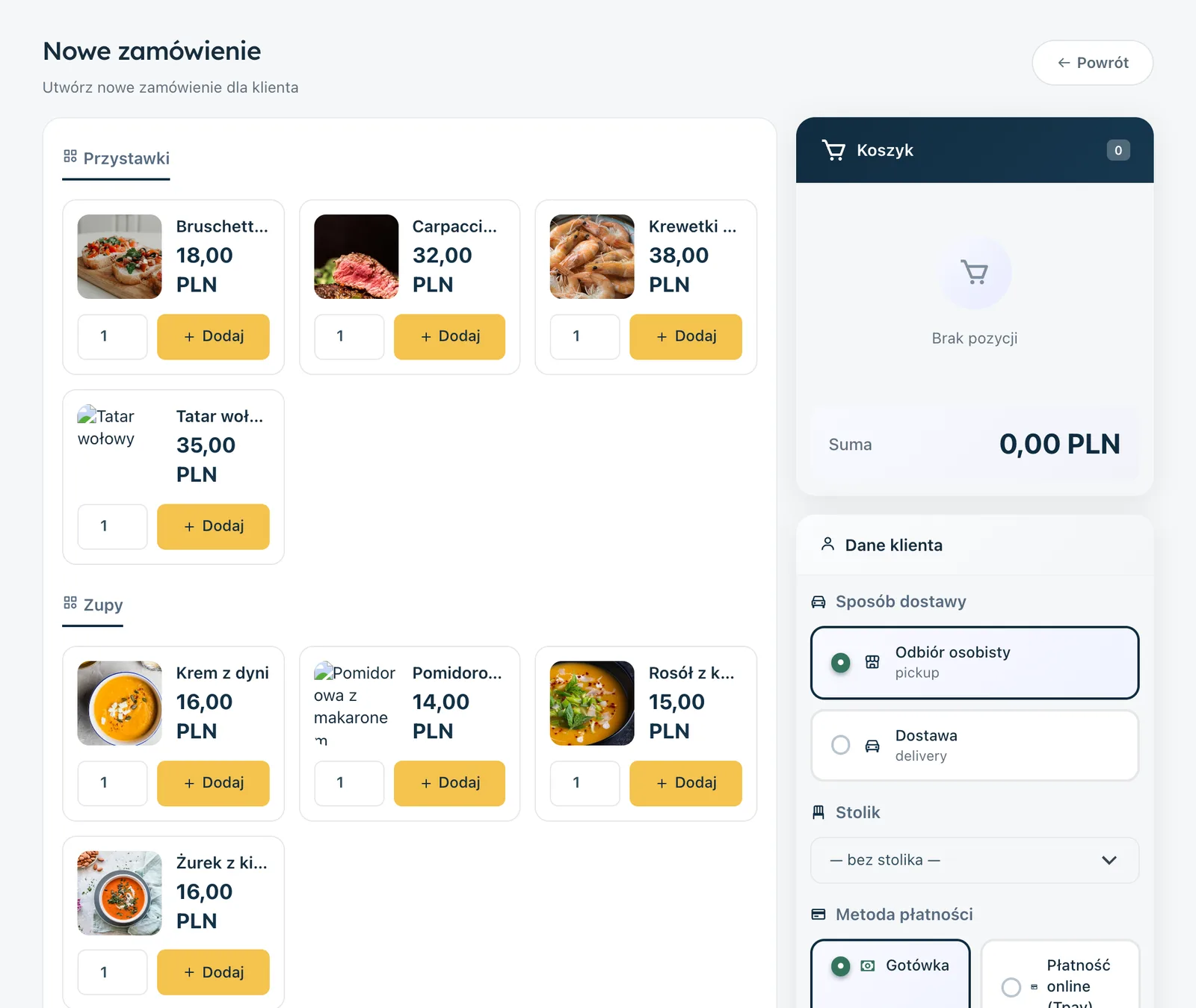
With Ranedo, you do not have to stop taking phone orders. In all plans, an order taken during a call can be added manually in the dashboard as a new order.
A member of staff selects dishes directly from the menu, together with available variants and extras. They can also add a note to a specific item for the kitchen, enter guest details and choose the fulfilment method, such as delivery.
The order then appears on the same list as online orders and receives a short number, for example #12. The same number can be used by staff, the kitchen and the guest.
If the guest later calls to ask about the order, they can provide the short number instead of describing what they ordered and at what time.
Online orders without a phone call
In all Ranedo plans, guests can order directly through the restaurant's website. Available options include collection, delivery, ordering on site and ordering for later.
After placing an order, the guest receives an email confirmation. If they do not provide an email address, the confirmation can be sent by SMS. The message contains a link for tracking the order status.
This means some status enquiries do not have to result in another phone call to the restaurant.
Notifications for the team
Ranedo can notify the team about new orders with push notifications on phones and computers. Email and SMS notifications are also available for new orders and orders that have not been handled.
SMS messages are charged separately, so it is worth choosing the notification method that best suits the way your venue operates.
Plus and Pro: the same orders on the kitchen display
The kitchen display system is available in the Plus and Pro plans. Orders appear there with the same short numbers and can move through the stages New, In preparation and Ready to serve.
This means a phone order entered in the dashboard does not need a separate paper ticket afterwards. It joins the same queue the kitchen uses for other orders.
How can you reduce phone-order chaos gradually?
You do not need to change your entire way of working in one day. You can introduce the individual elements gradually.
- Set a standard structure for phone conversations.
- Always repeat the order, address and fulfilment method back to the guest.
- Stop keeping phone orders only on paper.
- Enter them into the same list as all other orders.
- Give the guest a short order number.
- Add information about online ordering to your website, business profiles and in-venue materials.
- Add your website address or a QR code to leaflets and packaging.
- Monitor how many calls are simply asking about order status.
After some time, you can check how many guests still prefer the phone and how many have started using the website. The goal does not have to be to eliminate phone orders entirely. The point is to stop the phone being the only way to order and the source of a separate workflow.
The phone can stay without running the whole restaurant
For some guests, speaking to someone on the phone will still be the most convenient option. There is no need to fight that. The problem is not the phone itself, but the lack of an organised process once the call has been answered.
If every phone order immediately enters the shared list, has its own number and is visible to the right people, it is much easier to maintain order during busy periods.
At the same time, it is worth directing more guests towards your own online channel. There, they can choose dishes, variants and extras themselves, enter their address and receive confirmation without occupying a member of staff for several minutes on the phone.
Organise phone and online orders with Ranedo
Ranedo lets you handle online orders in one place and manually add orders taken over the phone. Each order receives a short number, and the team can be notified about new orders and orders that have not been handled.
See Ranedo plans or create an account and use the free first month with all features included in your selected plan.
Frequently asked questions
Is it worth stopping phone orders completely?
Not always. Some guests still prefer ordering by phone. It is worth giving them a convenient online alternative, while making sure phone orders enter the same workflow as all other orders.
How can I reduce mistakes in phone orders?
Use a fixed order of questions, enter the order directly into the system and, before ending the call, repeat the dishes, extras, address and fulfilment method back to the guest.
Can I enter a phone order into Ranedo?
Yes. In all plans, a member of staff can manually add a new order by selecting dishes, variants and extras from the menu and entering the guest's details, fulfilment method and kitchen notes.
Do phone and online orders use the same numbering?
Yes. In Ranedo, they appear on the same list and use short order numbers. This means the guest can provide the number when contacting the restaurant about the order status.
Can the kitchen see orders taken by phone?
In the Plus and Pro plans, manually added orders can appear on the kitchen display system alongside other orders, using the same short order number.
Share this article: