QR code table ordering — when it makes sense for restaurants
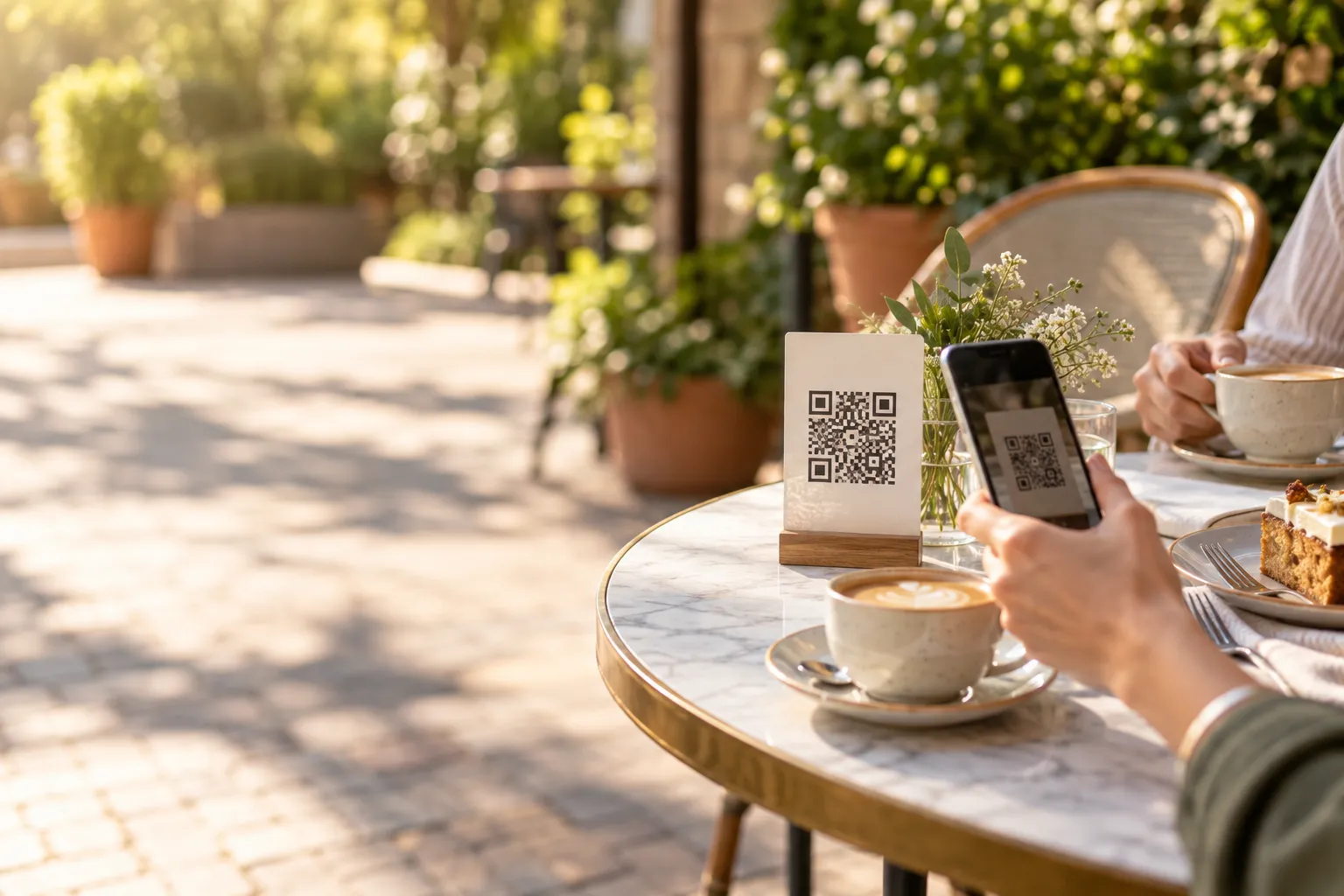
In a café, bistro, pub or beer garden, the problem often starts not in the kitchen but at the point of ordering. A guest takes a seat but has to walk to the bar and join a queue. In another venue, they wait until a waiter notices them. For the first order, they will usually accept this. The second order is different.
If someone wants another coffee, a dessert or another beer, they have to get up again or attract a member of staff's attention. Some people will do it. Others will decide they no longer want to wait. QR code table ordering can remove this step, but only if it is properly connected with the work of the dining room, kitchen and pass.
Where does the problem with queues and waiting for service come from?
Imagine a Saturday afternoon in a café with an outdoor seating area. Several people are standing at the bar. One is choosing a cake, another is paying, and a third is asking about the ingredients in a drink. At the same time, guests at a table would like to order two more coffees.
Technically, the venue is able to sell more products. The problem is the path between the guest deciding to order and the order actually being accepted.
A similar situation can happen in:
- a pub where repeat orders are placed at the bar,
- a bistro with partial self-service,
- an outdoor seating area that a waiter has to keep walking out to,
- a café where one person prepares drinks and takes orders at the same time,
- a venue with many tables and a small front-of-house team.
So the problem is not simply that the guest has to wait. During peak service, the queue can occupy staff at exactly the moments when they are needed to serve ready dishes, take payments or clear tables.
The second order is easier to lose than the first
A guest usually wants to place the first order because that is why they came to the venue. The second order is more sensitive to friction.
For example, two guests have finished lunch and are considering dessert. If the waiter appears at the right moment, they can order immediately. If they have to wait for several minutes or go back to a busy bar, they may simply ask for the bill instead.
This does not mean that a QR code will automatically increase sales. It can, however, shorten the path between the thought "I could order something else" and actually sending the order.
That is an important distinction. QR should not be treated only as a digital menu. It can also be an additional way to place orders directly from the table.
A QR menu and QR ordering are two different things
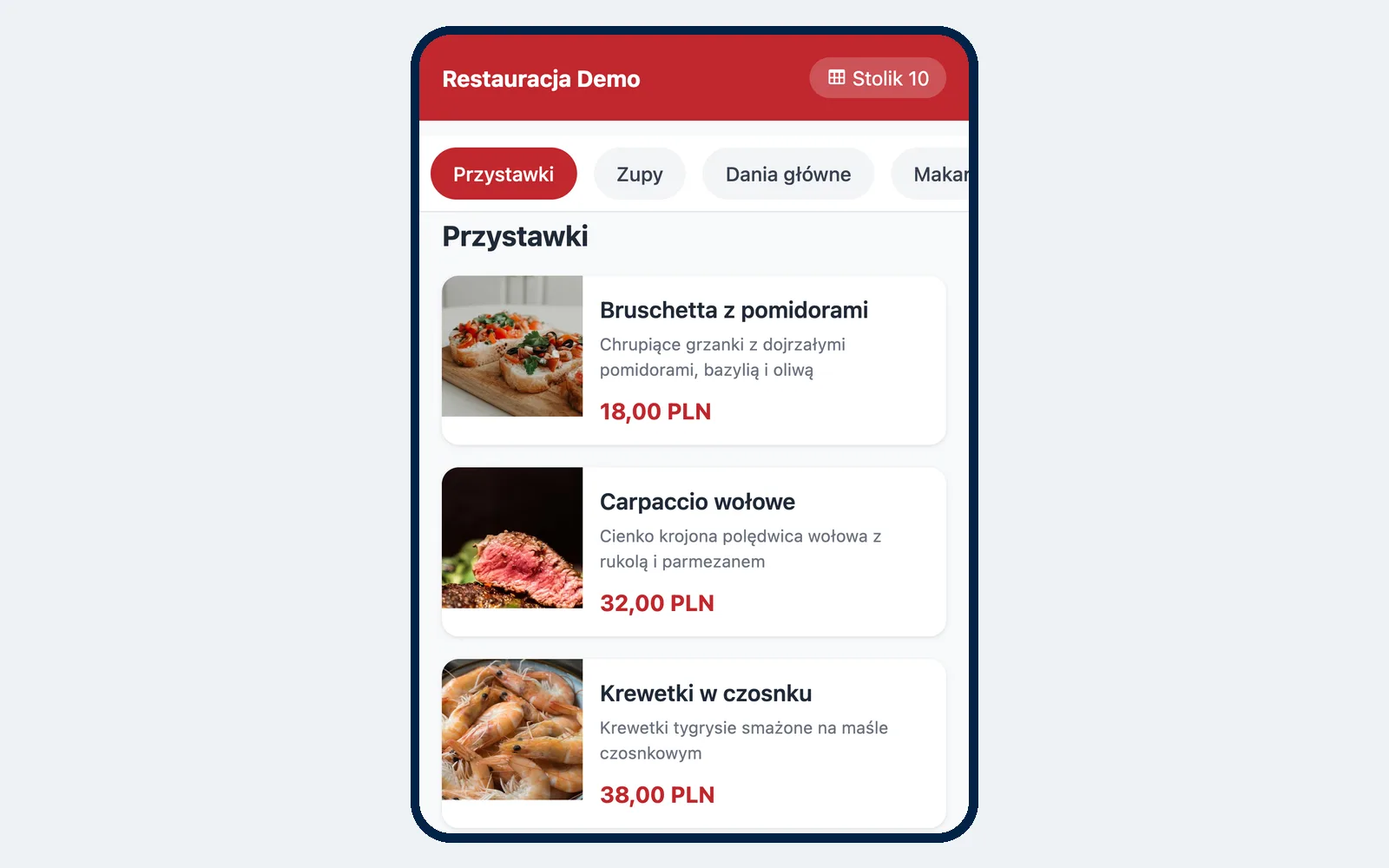
In many restaurants, a QR code simply opens the menu. The guest scans the code and can view the offer on their phone. Once they have chosen a dish, they still have to call a waiter or go to the bar.
This is a QR menu for browsing.
The second model goes a step further. The guest:
- scans the code assigned to the table,
- opens the menu,
- selects dishes, variants and extras,
- places the order from their phone,
- the order reaches the staff as an order from a specific table.
This is QR code table ordering.
The operational difference is significant. In the first model, the phone replaces a paper menu. In the second, it also takes over part of the order-taking process.
QR should not mean no service
One common mistake is assuming that once QR ordering is introduced, the waiter is no longer needed. In practice, it mainly changes part of their work.
The guest can send the order themselves, but someone still has to:
- prepare the table,
- answer questions about the menu,
- bring dishes or drinks,
- respond to additional guest requests,
- serve people who do not want to use their phone,
- handle unusual situations.
QR works best as an additional option rather than a barrier between the restaurant and its guests.
How should you organise QR order handling?
Before putting codes on the tables, decide exactly what happens after a guest presses the order button.
Who sees the new order?
It is not enough for the order to simply "be in the system". Someone needs to know that it has just arrived.
In a smaller venue, one person running the floor may be responsible for this. In a larger restaurant, the order may be routed to the relevant waiter and the kitchen.
The most important thing is to make sure QR orders do not become a separate, forgotten queue.
Who serves the order?
You can use several models. In a café, a drink may be brought to the table by staff. In a more self-service venue, the guest may collect their order from a designated point.
The model must be clear to the guest. If they order from the table but then do not know whether to wait or collect the order, you are simply moving the problem from one stage to another.
How does payment work?
Depending on the service model, the guest can pay:
- in cash,
- by card at the table, if the venue offers this option,
- online while placing the order.
It is worth choosing one default scenario and communicating the other options clearly. Convenient payment can be particularly important for repeat orders.
Which venues benefit most from QR code ordering?
Not every restaurant model needs this solution. It makes the most sense where guests place several smaller orders during one visit, or where taking the order itself often becomes a bottleneck.
Good examples include:
- cafés,
- bistros,
- pubs and bars,
- outdoor seating areas,
- food halls and venues with elements of self-service,
- restaurants where guests often order additional drinks, desserts or extras.
For example, in an outdoor seating area with a dozen or so tables, a guest does not need to look for a waiter just to order another lemonade. They scan the code on the table and send the order.
Where might traditional waiter service be better?
In restaurants built around extensive table service, waiter recommendations and the overall guest experience, QR does not have to be the main way of ordering.
This applies particularly to fine dining venues, where the waiter:
- explains the dishes,
- recommends menu items,
- helps guests choose the order of courses,
- guides the service throughout the evening.
Even there, QR can still play a supporting role, but completely replacing interaction with the staff may not suit the character of the venue.
If your main goal is to improve traditional waiter service, you can also read our article about using a waiter's phone instead of a notepad.
What about older guests and people who do not want to scan a code?
QR ordering should not be the only available method.
If an older guest does not use a smartphone or simply prefers speaking to a waiter, they should still be able to order through the staff.
The simplest rule is:
QR provides an additional option without taking away traditional service.
This means a guest who wants to order quickly from their phone can do so, while someone who prefers traditional service does not feel excluded.
Can someone photograph the code and order from home later?
This is a reasonable concern. A static QR code can be photographed. If the system accepted every order associated with that code unconditionally, someone could try to place an order assigned to the table after leaving the venue.
That is why a table ordering solution should take the current table status into account, not just the code itself.
One possible safeguard is that an order for a closed table is not automatically treated the same way as an order from a guest actually sitting in the venue. Depending on the configuration, it may require staff approval, or the table may not accept orders at all while it is closed.
Does QR reduce contact with the guest?
It can if the venue treats it as a way to remove staff from the dining room altogether. It does not have to.
Used well, QR mainly removes the need to wait for a simple action. The guest does not need a conversation with a waiter every time they want another bottle of water or another coffee.
This can allow staff to spend more time on situations where personal contact genuinely adds value: recommending a dish, solving a problem, welcoming guests or checking whether everything is all right.
It is therefore worth defining your service standard independently of the technology. A waiter can still approach the table after serving the meal, ask whether anything else is needed and remain visible on the floor.
A call-staff button can complement QR ordering
If guests order independently from their phones, it is useful to give them a simple way to contact the staff as well.
They may need to:
- ask a question,
- request the bill,
- report a problem with an order,
- order something in the traditional way.
The "Call staff" button does not replace the waiter's presence, but it can reduce situations where a guest spends several minutes trying to make eye contact with someone from the team.
Set separate rules for table orders
You may not always want to accept QR orders under exactly the same rules as delivery or collection orders.
It is worth defining:
- the hours during which table orders can be placed,
- whether a minimum order value applies,
- how many orders the system can accept within a given period,
- what should happen when the kitchen is at peak capacity.
For example, if the kitchen is already working at full capacity at 8:00 pm on a Friday, continuing to accept a large number of new orders without control may only increase delays. An order limit for the QR channel can help match incoming orders to the venue's actual capacity.
How does QR code ordering work in Ranedo?
In Ranedo, QR code table ordering is available in the Plus and Pro plans. It is not available in the Start plan.
You can create a separate QR code for each table and download it as a PNG file for printing. The guest scans the code with their own phone and uses the menu in the browser. They do not need to install an app or create an account.
The order is assigned to a specific table, so staff know where the prepared food or drink should be delivered.
Payment for QR orders
Depending on the configuration, the venue can support:
- cash,
- card payment at the table,
- online payment.
You can also allow guests to add a tip.
Promotions also work with QR orders
Table orders can use the promotional mechanisms available in the Plus and Pro plans, including discount codes, meal deals and free products resulting from configured promotions.
This means you do not need separate promotion rules just because the order came through a QR code.
How does Ranedo protect against orders placed from an old photo of a code?
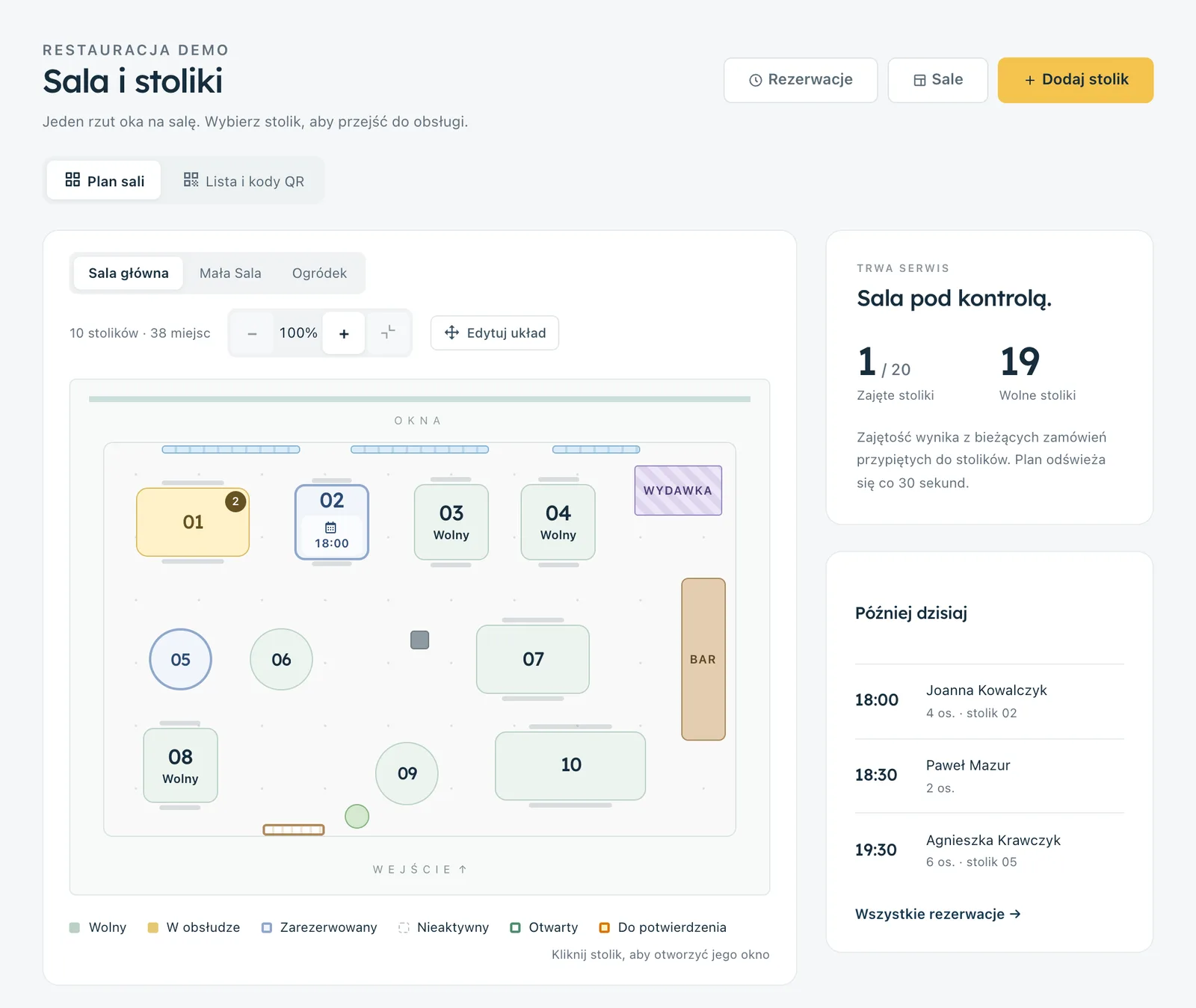
The code itself does not automatically mean that the table is active. The table status is linked to front-of-house service.
A table can be opened by staff, by an active order or in connection with a reservation. For reservations, it can become available from 30 minutes before the scheduled time.
If someone tries to use an old photo of a code assigned to a closed table, depending on the settings, the order may wait for staff confirmation or the closed table may not accept orders at all.
This does not remove the need to monitor the dining room, but it reduces the risk that simply having a photo of the code is enough to send an order straight to the kitchen.
What happens after an order is placed through QR?
The key point is that the QR channel does not operate as a separate island.
Orders can be sent to staff and to the kitchen display. In the Plus and Pro plans, the KDS shows QR orders in the queue alongside other orders handled by the venue.
This means the kitchen does not need a separate tablet just for QR orders, and the waiter does not need to check another app.
If you want to see how to organise the kitchen queue itself, read our article about using a kitchen display system instead of paper tickets.
How can you introduce QR ordering without annoying guests?
The safest approach is to introduce it step by step.
- Decide whether QR should be used only for viewing the menu or also for placing orders.
- Decide who responds to new orders and who serves them.
- Choose which payment methods you will offer.
- Place the code somewhere easy to scan.
- Add a simple instruction next to it, for example: "Scan to view the menu and order".
- Keep traditional ordering through staff available.
- Test the order process on several different phones.
- Check how the system behaves after a table is closed.
- Test an additional order for a table that already has an open bill.
- Train the team so they can help someone who does not know how to use QR ordering.
After launch, pay close attention to guest behaviour. If most people still call a waiter, the problem may be an invisible code, unclear instructions or simply the nature of your venue.
QR should shorten the path to ordering, not turn the restaurant into a machine
The biggest advantage of table ordering is not the QR code itself. It is the ability to place an order exactly when the guest wants to.
In a café, that may be a second coffee. In a pub, another beer. In a bistro, dessert after lunch. The guest does not have to wait until a member of staff is free.
At the same time, traditional service can remain available. This means technology supports the team instead of forcing every guest to use the venue in exactly the same way.
Try QR code ordering with Ranedo
QR table ordering, the floor plan, waiter screen and kitchen display are available in the Ranedo Plus and Pro plans. Guests order from their own phones without installing an app or creating an account, and each order is assigned to a specific table.
See Ranedo plans or create an account and use the free first month with all features included in your selected plan.
Frequently asked questions
Does the guest need to install an app to order via QR?
No. With Ranedo, the guest scans the code and places the order in their phone browser. They do not need to install an app or create an account.
Can a QR code be used only to display the menu?
Solutions like this exist, but a QR menu alone is not the same as table ordering. In Ranedo Plus and Pro, a table QR code also lets the guest place an order linked to that specific table.
What about guests who do not want to use QR?
They should still be able to order through the staff. QR is best treated as an additional channel rather than a compulsory way of ordering for every guest.
Can someone order from a photo of the code after leaving the restaurant?
Ranedo takes the table status into account. An order from an old code assigned to a closed table may require staff confirmation, or the closed table may not accept such orders at all, depending on the settings.
Do QR orders go to the kitchen?
Yes. In the Plus and Pro plans, table orders can go to the kitchen display system and to staff alongside the venue's other orders.
Share this article: