Show your venue’s atmosphere
Choose a layout that fits your cuisine and character. Your photos, colours and descriptions introduce the venue before a guest’s first visit.
Your restaurant online
Show your venue’s character and make the next step easy: browsing the menu, ordering food or booking a table. Build on a ready-made template and manage your website in the same system as your restaurant.
Custom domains, reservations and other features depend on your plan.
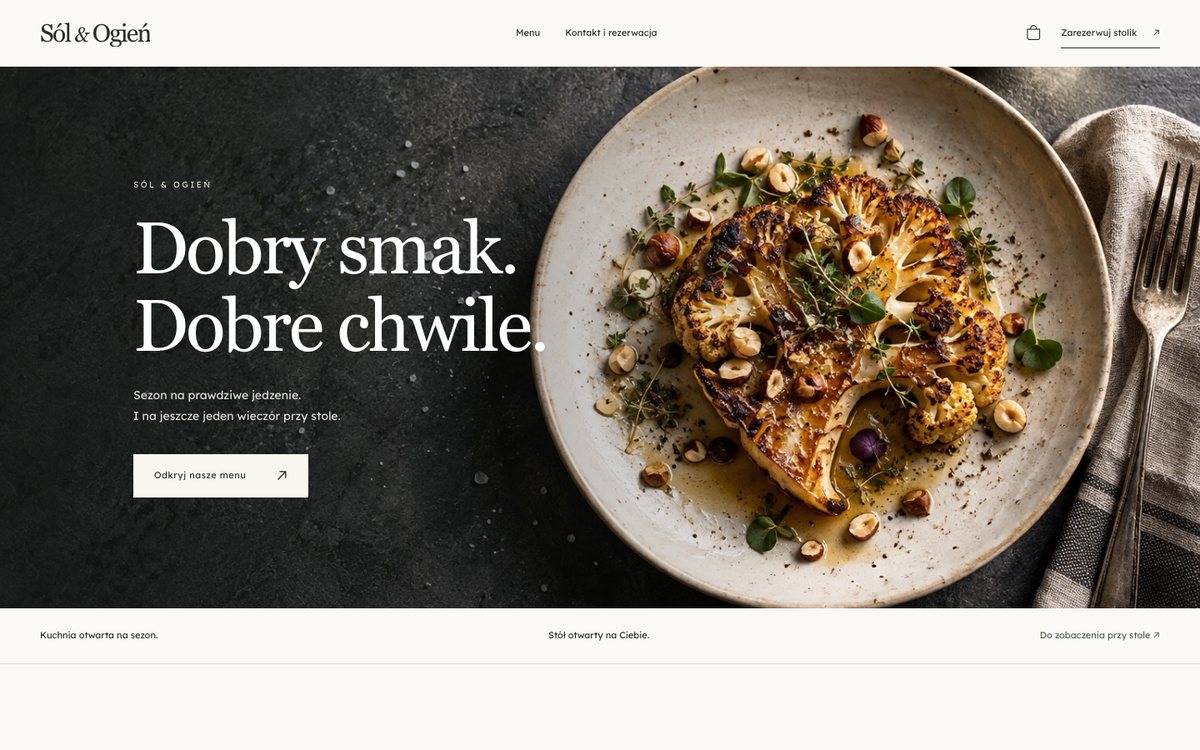
More than a web address
Social media helps spark interest. Your own website brings together what guests need before a visit: a current menu, photos, location and an easy way to contact you or order.
Choose a layout that fits your cuisine and character. Your photos, colours and descriptions introduce the venue before a guest’s first visit.
Bring your menu and key details together rather than sending guests between profiles. Make it clear how to order, where to visit and how to get in touch.
A new photo, seasonal special or updated description need not mean rebuilding the site. Edit in the dashboard, review the preview and publish when ready.
01 / Design and branding
A template provides a starting point: section layout, food presentation and visual style. Choose colours, add your logo and photos, then write your content. Focus on your restaurant rather than designing from a blank screen.
02 / Editing and menus
The editor lets you update content, manage sections and preview the result. Your menu is managed in the restaurant system. Your website becomes part of daily operations rather than a separate project you revisit once a year.
03 / From browsing to action
Guide guests from photos and menus to a clear next step. Connect your website with online orders and, on eligible plans, reservations. Use a Ranedo address or configure a custom domain if your plan includes it.
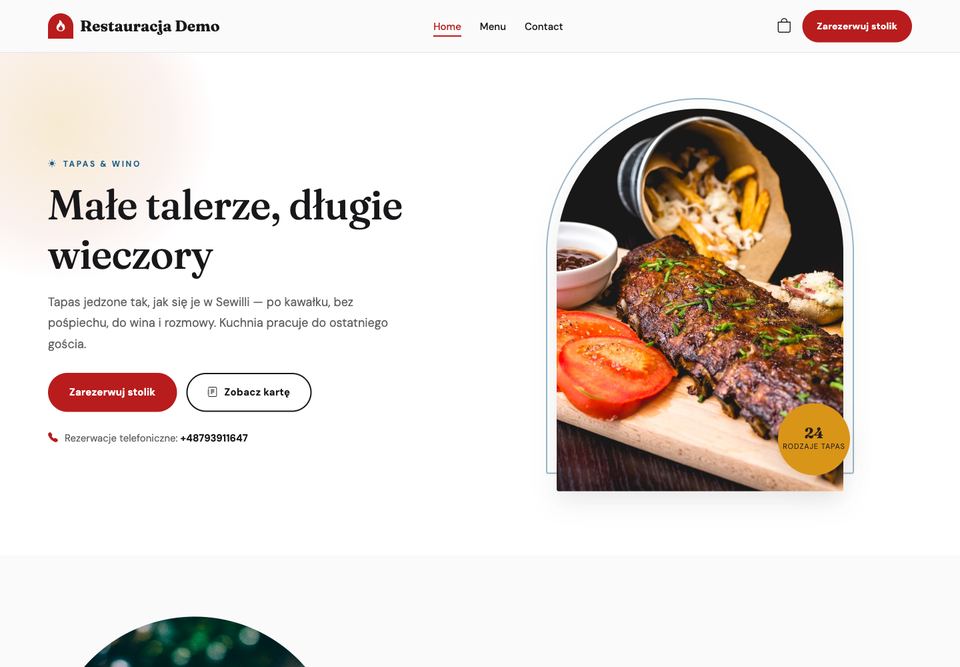
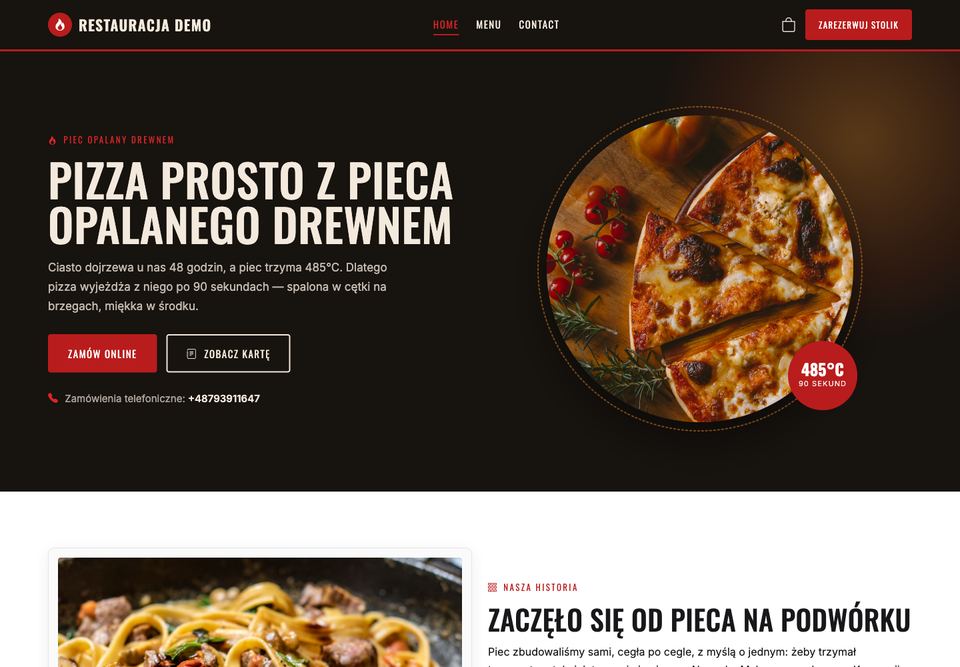
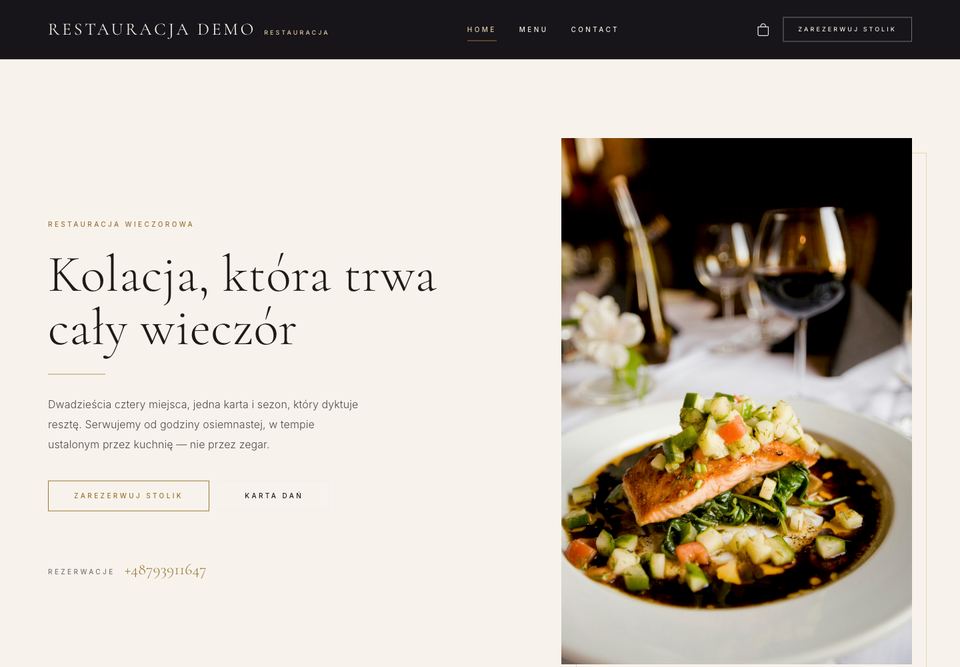
A starting point for your brand
These are examples of templates available in Ranedo. Pick a visual direction, then replace the demonstration materials with your own photos and content.
From setup to your first guest
You do not need everything ready at once. Start with essential information and a good menu. Add more sections as you prepare material you want guests to see.
Browse templates and choose a layout that suits your venue. Set the colour palette and prepare your logo.
Add descriptions, photos, your menu and contact details. Use your own materials to show the restaurant’s real character.
Review the site on a computer and phone. Check photos, copy, links and the features you want guests to use.
Publish the finished site and share its address. For a custom domain, complete the required settings and connection verification.
Your logo, good photos of dishes and interiors, a current menu, a short venue description, opening hours and contact details. For a custom domain, also have access to its settings.
FAQ
Before you decide, get answers to the key questions. If you would like to discuss your workflow, let’s talk.
Tell us about your venue →You do not need to write code to fill in a template-based site. Update content, photos and settings in the editor, then review the preview before publishing.
Yes, if your selected plan includes custom domains. Setup and verification are required. You can also use the address provided in Ranedo. Check pricing for plan details.
You can connect your website with Ranedo ordering. Configure your menu, fulfilment channels and payments before launch. Table reservations are a separate feature on eligible plans.
You can create a new template-based site in Ranedo using your own materials. This does not automatically copy your existing site. Prepare and check the new version before switching the domain.
Yes. Return to the editor, update content and publish your changes. The preview lets you check new layouts or photos first. Your restaurant menu is managed in the system.
Timing depends on your materials and configuration needs. Having a current menu, photos, venue description and contact details helps you get started. A custom domain needs additional setup. Book a demo to discuss the process.
Your next step
Choose a template and start building a website under your own brand. Or explore the editor and ordering flow during a demo first.