Online table reservations — fewer calls and less chaos
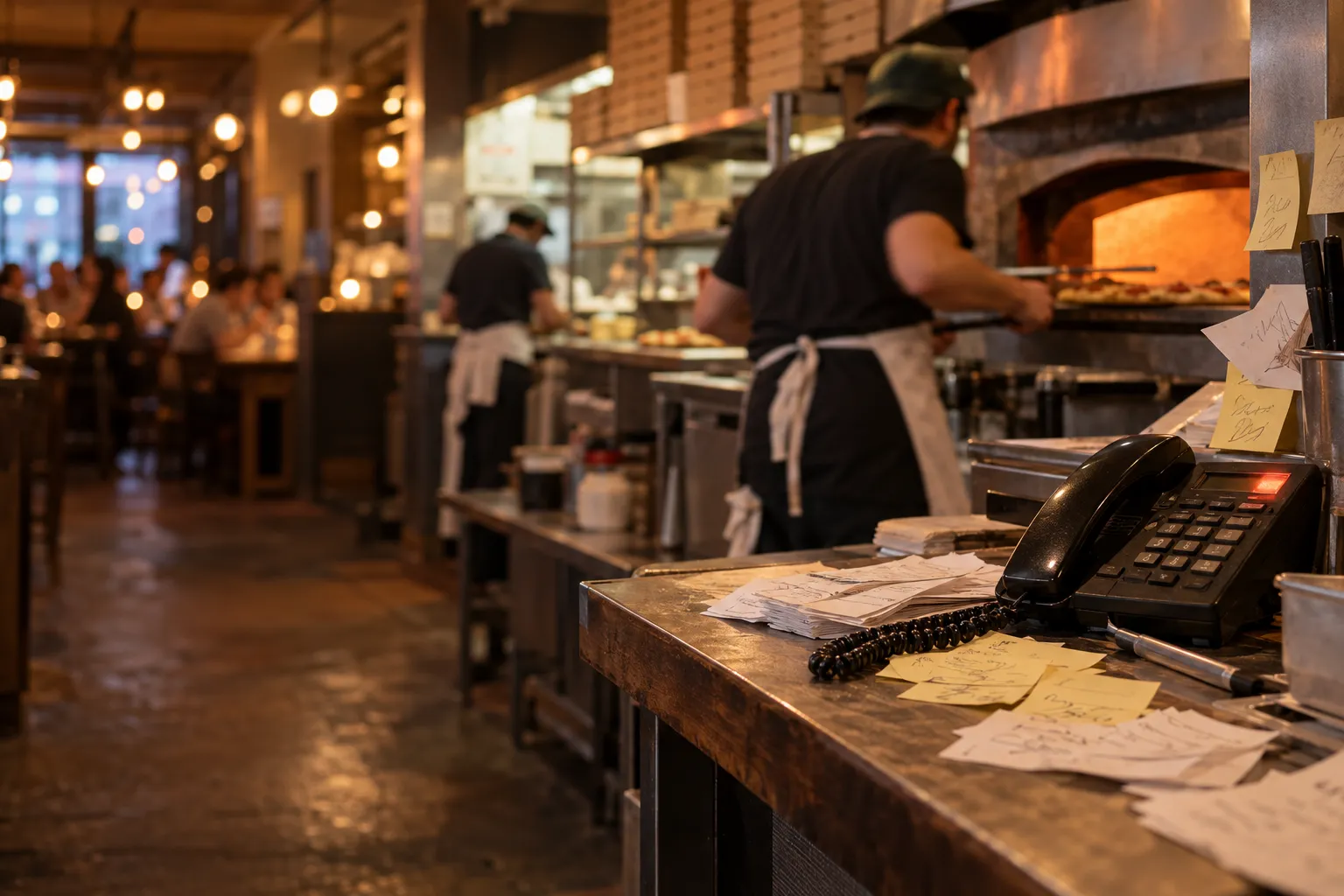
Table reservations can seem simple until the restaurant gets busy. On a quiet day, a notebook by the till and a phone may be enough. The problems start when several members of staff take reservations, someone writes a name down in a hurry, another person answers the phone while serving food, and by the evening it turns out that the same table has been promised to two different groups.
Then there are guests who do not turn up, reservations accepted through different channels, and no easy way to know whether the person calling has visited before. The more reservations you handle, the more important it becomes to have one place where the whole team can see the same information.
Why a reservation notebook stops being enough
A notebook works well only if everyone uses it in exactly the same way. In practice, one person writes down the time and name, another adds a phone number, and someone else writes the party size in the margin.
At 6:30 pm on a Friday, the phone rings while someone is working at the till. A reservation for 8:00 pm is written down quickly, but nobody checks that the same table was already reserved earlier by another shift.
The most common problems include:
- double-booking the same table,
- missing the guest's phone number,
- different reservation rules depending on the member of staff,
- reservations recorded in several places,
- no clear status such as pending, confirmed or cancelled,
- difficulty checking the history of a particular guest.
Calls usually come when you have the least time
Guests often call at times when the restaurant is already working at full pace. Someone is taking orders, serving dishes or closing a table and, at the same time, has to find an available slot and write down a reservation.
Every such call interrupts the current service.
An online reservation form will not eliminate every phone call, but it can take over some of the simplest enquiries. The guest chooses the date, time and party size themselves, while the restaurant receives the request for further handling.
A reservation form should have clear rules
Adding a "Book a table" button is not enough. You also need to decide when and under what conditions a reservation can be submitted.
It is worth defining:
- the minimum advance booking time,
- how far ahead reservations can be made,
- the hours during which reservations are available,
- the maximum party size for one reservation,
- the typical table duration,
- rules for larger groups.
For example, if the venue opens at 12:00 pm, there is no point allowing a guest to choose a reservation for 10:00 am. Likewise, a very large group may require direct contact rather than automatic acceptance through the form.
One place for online and phone reservations
The most important thing is for every reservation to end up in the same system.
If the online form works separately while phone reservations still go only into a notebook, the problem remains. The team still has to check two different sources.
A better model looks like this:
- the guest books online or calls,
- staff enter the phone reservation into the same system,
- all reservations are visible together,
- the reservation can be assigned to a specific table,
- the status changes as the visit is handled.
Reservation confirmation reduces uncertainty for both sides
After making a reservation, the guest should know whether the date and time have been accepted and confirmed.
The simplest model is an email sent after the restaurant confirms the reservation. This gives the guest a record of the time, party size and reservation status.
It is also useful for staff. Instead of relying on a phone conversation from several days earlier, both sides have a clear piece of information to refer to.
Assign the reservation to a table before service starts
A calendar entry alone is not enough if, when the guests arrive, staff still have to decide where to seat them.
Assigning a table in advance helps you assess:
- how many places are genuinely still available,
- whether you are trying to reserve the same table twice,
- whether a larger group requires joined tables,
- how busy the dining room will be at a particular time.
For example, at 7:00 pm you have three reservations for four people each. The number of reservations alone tells you very little. Only after assigning them to the floor plan can you see which tables remain available for walk-in guests.
No-shows: the system will not solve everything automatically
Guests who reserve a table and do not arrive are a particular problem in venues with a small dining room or with larger group bookings.
There is no single method that eliminates no-shows completely. You can, however, reduce the risk with clear procedures.
A manual phone reminder the day before
For larger groups, it can be worth confirming the visit manually by phone the day before. A short call allows you to check whether the party size has changed and whether the reservation is still going ahead.
A manual waiting list
If the restaurant is fully booked, you can keep your own list of people interested in a table if one becomes available. When someone cancels, staff can contact the next person on the list.
This does not have to be a complex system. A simple list maintained by the manager can be enough.
A policy for larger groups
For larger reservations, it is worth having clear rules for confirmation, changes in party size and cancellation deadlines.
How should you handle a guest who did not turn up?
It is not worth making decisions based on a single incident. Someone may have forgotten, had a car problem or faced an unexpected situation.
History is much more useful. If you can see that the same guest repeatedly books a table and fails to arrive, you can use an additional manual confirmation for their next reservation.
The "No-show" status helps distinguish this situation from a reservation that the guest cancelled in advance.
Reservations should build knowledge about your guests
If a reservation contains contact details, it is better not to treat them as one-off information written on a piece of paper.
After several visits, you may want to know:
- whether the guest has visited before,
- how often they come to the restaurant,
- whether they usually reserve for two people or a larger group,
- whether they are a regular guest,
- whether they have previously been a no-show.
This does not mean every visit should immediately be used for marketing. Consent to marketing communication is a separate matter. The visit history itself can still help staff recognise a returning guest.
If you want to build repeat visits more broadly, see our article on how to design a restaurant loyalty programme that works.
What should happen when the guests arrive?
A reservation does not end when it is confirmed. It should move through further statuses.
A practical process may look like this:
- the reservation is waiting for confirmation,
- the restaurant confirms it,
- the guests arrive,
- staff mark that the guests are at the table,
- after the visit, the reservation is marked as completed.
If the guests do not arrive, the reservation is marked as a no-show. If they cancel in advance, it is marked as cancelled.
This means the calendar shows not only the future plan but also what actually happened during past visits.
A reservation can connect with table service
If the restaurant uses QR codes assigned to tables, the reservation system and floor plan can work together.
For example, a guest has a reservation for 6:00 pm. The table is prepared and linked to the booking. At the appropriate time it can be opened for service, allowing orders from the table's QR code to go to the correct table.
You can read more about this way of ordering in our article on QR code table ordering.
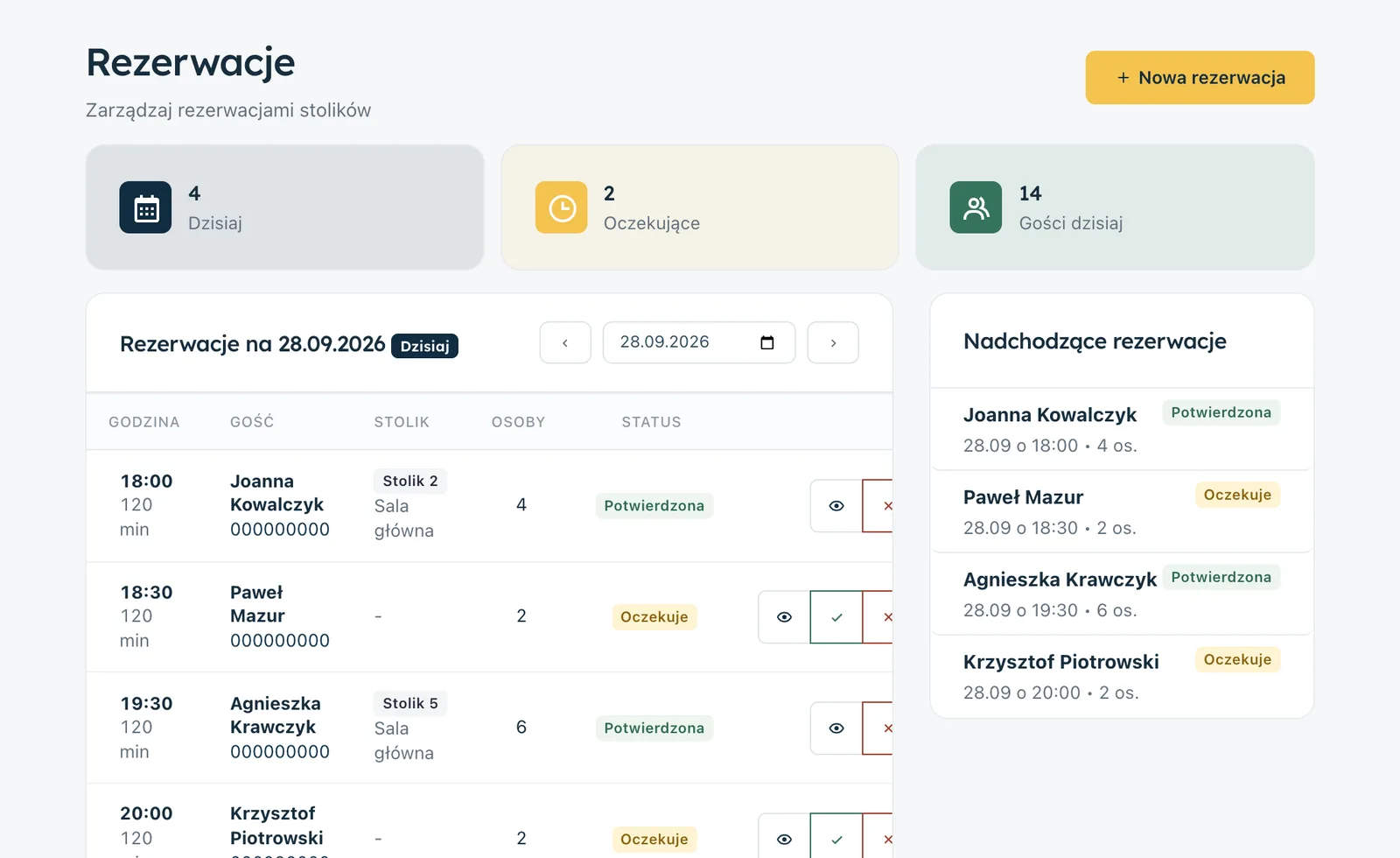
How do reservations work in Ranedo?
Table reservations are available in the Plus and Pro plans.
You can add a reservation form to the restaurant's website so guests can submit a booking request themselves.
In Ranedo, an online reservation:
- must be made at least 60 minutes in advance,
- can be made up to 180 days ahead,
- is available during the restaurant's opening hours,
- can include between 1 and 20 guests.
The system rejects a duplicate of the same reservation, so accidentally submitting the form several times does not create several identical entries.
A new reservation reaches the restaurant team
After a new reservation is submitted, the restaurant can receive an email notification.
Staff can review the date and time and then confirm the reservation. Once confirmed, the guest receives an email. SMS can also be used optionally, with SMS messages charged separately.
Phone reservations go to the same place as well
If a guest calls or visits in person, staff can manually enter the reservation into Ranedo.
When entering the details, the system can suggest an existing guest from the CRM database. This means you do not need to create a new person every time if the guest has visited the restaurant before.
The system can also warn about duplicates and about attempts to assign a reservation to an occupied table.
Floor plan and reservation statuses
A reservation can be assigned to a specific table on the floor plan.
The available statuses include:
- Pending,
- Confirmed,
- Guests seated,
- Completed,
- No-show,
- Cancelled.
This lets staff see whether a reservation still requires attention, whether the guests have already arrived and whether the visit has been completed.
The table opens before the reservation
In Ranedo, a table linked to a reservation can open 30 minutes before the scheduled booking time.
This matters if you use QR ordering. When the table is active, orders from its assigned code can be processed according to the table service rules.
This means reservations, the floor plan and table ordering do not operate as three separate processes.
Every guest is added to the CRM database
A person added to a reservation is added to the guest CRM database available in the Plus and Pro plans.
This means future reservations are not anonymous entries in a calendar. You can see the visit history and other information available on the guest profile.
If the guest consents to marketing communication, the CRM can later also be used for email or SMS campaigns. Reservation details alone should not automatically be treated as marketing consent.
How can you introduce online reservations without complicating the workflow?
- Set rules for available hours and party sizes.
- Add the reservation form to the website.
- Stop keeping a separate notebook for some reservations.
- Enter phone reservations into the same system as well.
- Assign tables in advance.
- Confirm reservations before the visit.
- For larger groups, consider a manual phone call the day before.
- When guests arrive, mark the status as "Guests seated".
- Mark no-shows as "No-show" instead of deleting the entry.
- Regularly review the reservation history of returning guests.
One shared list matters more than the form itself
The biggest benefit is not simply that the guest can click "Book" on the website. The point is to make online, phone and in-person reservations visible in one place and linked to the floor plan.
This means someone starting their shift does not have to ask whether another member of staff accepted a reservation by phone or check several pieces of paper.
The form reduces simple phone calls, while the shared system reduces chaos for the team.
Try table reservations in Ranedo
Online reservations, the floor plan and guest CRM are available in the Plus and Pro plans. You can accept booking requests through the website, manually add phone reservations, assign tables and manage the visit status in one place.
See Ranedo plans or create an account and use the free first month with all features included in your selected plan.
Frequently asked questions
Does Ranedo send automatic reminders before a reservation?
No. Ranedo does not send automatic reminders before the visit. For larger groups, you can use a manual phone confirmation the day before.
Can a reservation taken by phone be entered into the system?
Yes. In the Plus and Pro plans, staff can manually add a phone or in-person reservation to the same list as online reservations.
Can a reservation be assigned to a specific table?
Yes. A reservation can be linked to a table on the floor plan, and the system warns you if the selected table is already occupied.
Does Ranedo handle deposits for reservations?
No. The system does not handle deposits or prepayments for reservations. If you want to use that model, you need to organise it separately.
Does a guest with a reservation go into the CRM?
Yes. Guests from reservations are added to the CRM database in the Plus and Pro plans, so future visits can be linked to the history of a specific person.
Share this article: