Delivery zones and minimum order — how to make delivery profitable
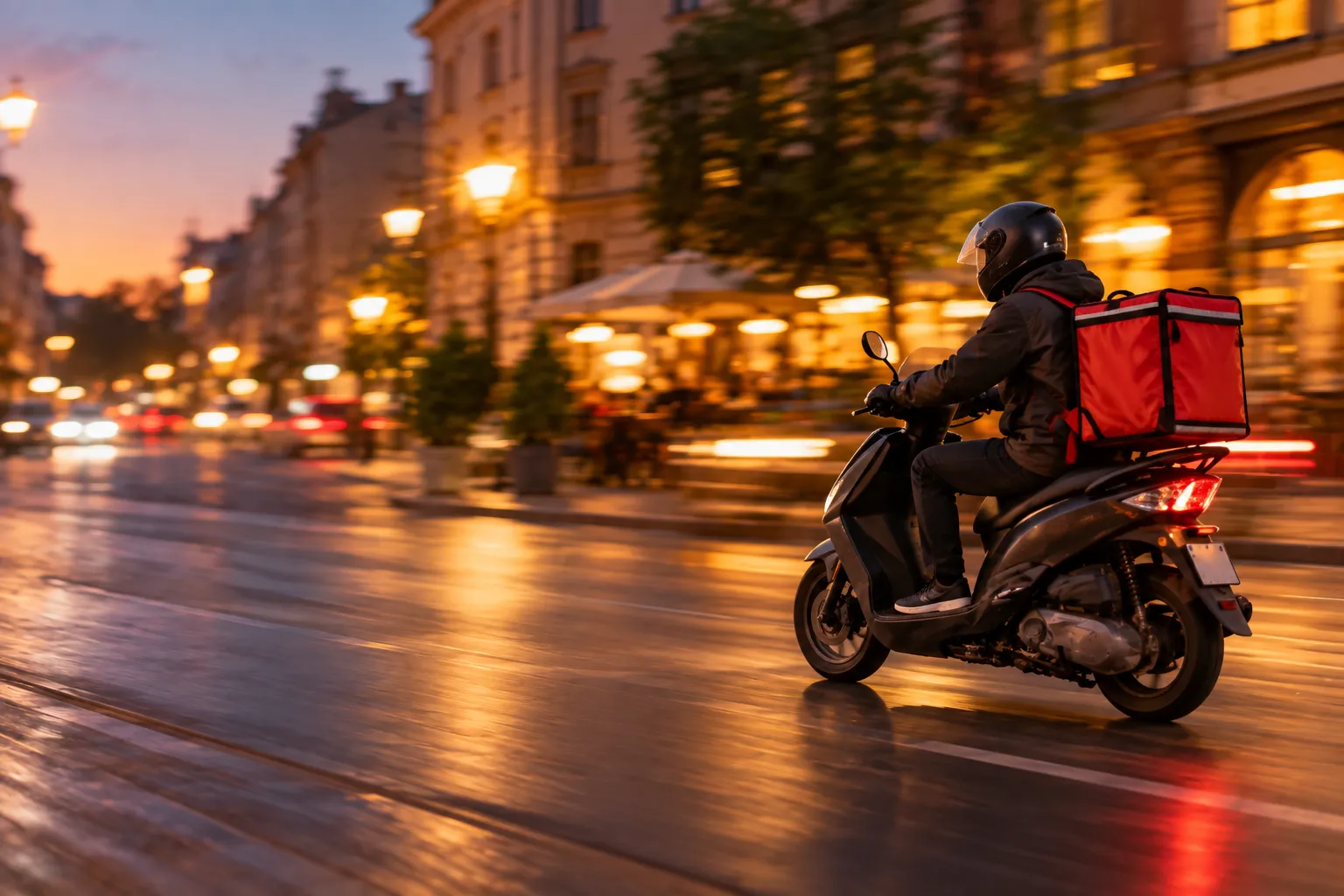
Delivery can be a convenient sales channel, but only when the rules reflect the real costs. One delivery price for the whole city may look simple, but in practice a short trip to a nearby neighbourhood and a journey several kilometres further away are two very different costs.
The problem becomes especially clear when a distant address is combined with a small order. The restaurant prepares the food, packs it, sends the driver out and then finds that the cost of delivery has taken up a large part of the margin on the entire order.
That is why it is worth setting delivery zones, minimum order values and delivery times instead of applying one rule to every address.
Why one delivery price for the whole city often does not work
Consider a simple situation. A restaurant charges 8 PLN for delivery regardless of whether the driver travels one kilometre or seven.
In the first case, the driver may return quickly and immediately take another order. In the second, the trip takes much longer, uses more fuel and ties the driver up during time in which they could have handled several closer addresses.
If the order value is also low, the entire transaction may be unprofitable even though it still generates sales revenue.
The most common problems with one flat rate are:
- long-distance trips for orders that are too small,
- no clear boundary for the delivery area,
- disputes with guests about whether an address is still within range,
- overly optimistic delivery times for more distant areas,
- a driver returning without another job,
- no link between delivery cost and the actual workload.
Start by calculating the cost of a single delivery trip
You do not need a highly complex model. To begin with, it is enough to calculate a few basic elements.
You can include:
- the driver's working time,
- fuel or energy cost,
- packaging associated with delivery,
- other costs directly related to completing the trip.
Example calculation
For illustration only, suppose one longer delivery takes the driver 35 minutes for the round trip.
Assume, for example:
- driver time allocated to the trip: 18 PLN,
- fuel: 7 PLN,
- packaging: 4 PLN.
The total example cost of fulfilment is therefore:
18 PLN + 7 PLN + 4 PLN = 29 PLN
If the guest places an order worth 35 PLN, it is easy to see that sales revenue alone does not mean the order is profitable. You still need to cover ingredient costs, kitchen labour and the restaurant's other expenses.
This is exactly why the minimum order value for more distant zones may need to be higher than for addresses close to the restaurant.
Do not calculate only the fuel cost
One common mistake is reducing the cost of delivery to fuel alone. In reality, on a longer trip, the driver's time may be the biggest limitation.
If one delivery ties the driver up for 40 minutes, they cannot serve other addresses during that time. During busy periods, that may matter more than a few PLN of fuel difference.
That is why, when setting the delivery area, it is worth looking at:
- travel time during typical service hours,
- the return journey to the restaurant,
- whether several deliveries can be combined,
- traffic conditions,
- natural barriers such as a river, railway lines or a ring road.
Concentric zones — the simplest model
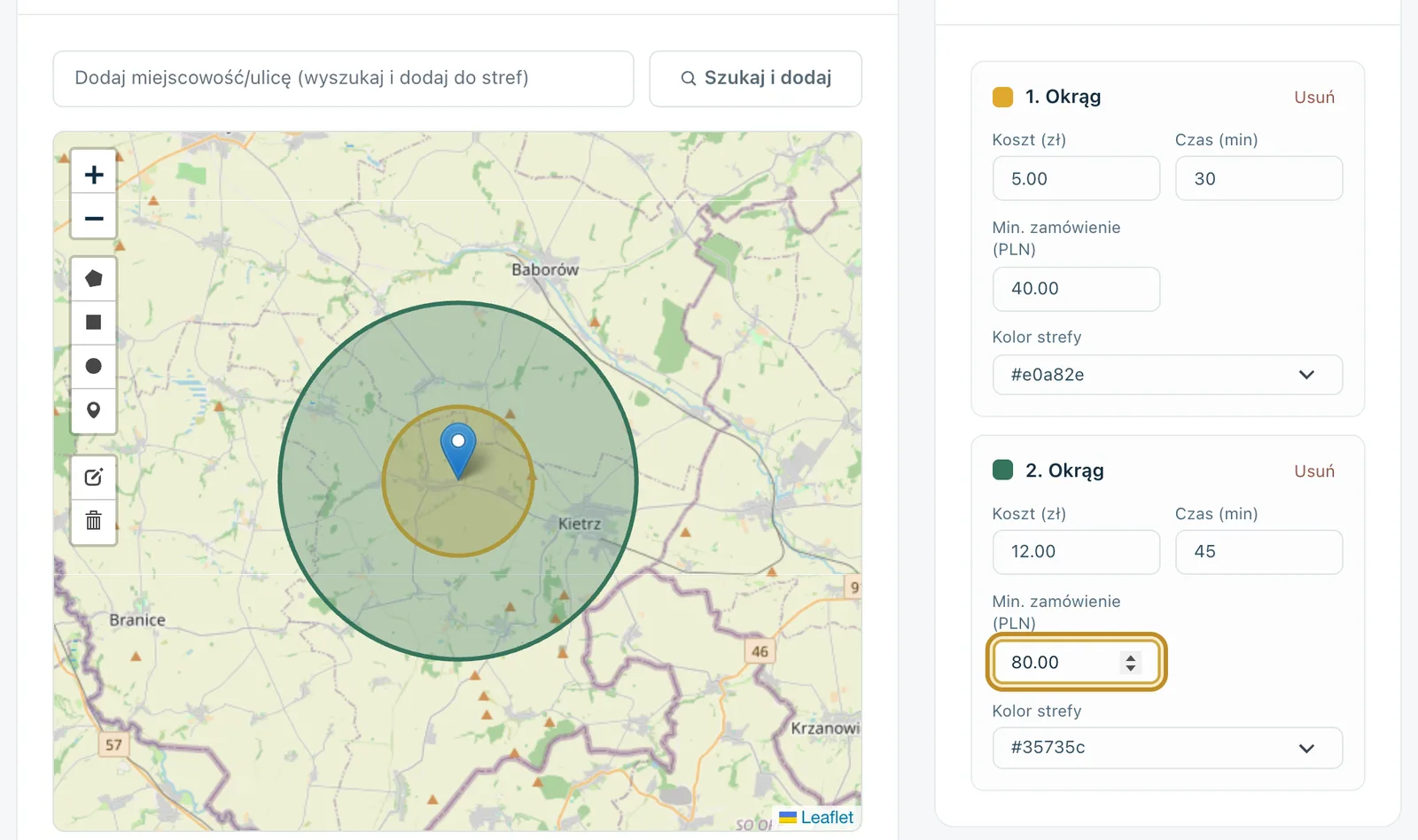
The easiest approach is to create several circles around the restaurant.
For example, you might have:
- a nearby zone,
- a medium-distance zone,
- a more distant zone.
Each can have a different delivery charge, minimum order value and estimated delivery time.
This model is easy to understand and maintain. It works well where the layout of the city is relatively regular.
Map areas — when a radius is not enough
A radius does not always reflect real driving conditions. Two addresses may be a similar distance away as the crow flies, but one may require crossing a bridge, driving through the city centre or taking a long detour.
In that situation, a zone drawn directly on the map can work better.
You can, for example, include:
- specific neighbourhoods,
- one side of a river,
- a defined part of the city,
- an area bounded by roads or other natural boundaries.
This allows you to reflect the actual travel time more accurately than with a simple circle.
Postcodes — useful where area boundaries are clear
Another option is to assign delivery to specific postcodes or postcode prefixes.
This can be useful if you serve several clearly separated areas or towns around the city.
It is still worth checking whether the postcode layout actually matches your logistics. A postcode does not always correspond neatly with travel time.
The minimum order should rise with the cost of serving the zone
If a more distant zone costs more to serve and takes more time, it is logical to set a higher minimum order value for it.
For example:
Suppose the nearest zone involves a short and inexpensive trip. You may be able to accept smaller orders there. For a more distant area, the same minimum value could result in small and unprofitable deliveries.
However, the minimum should not be set at random. It is best to calculate:
- average order value,
- the cost of a typical trip,
- food cost,
- labour cost,
- how frequently orders come from that zone.
The minimum order is a tool for protecting delivery profitability, not a penalty for a guest who lives further away.
Different delivery times for different zones
A guest living one kilometre from the restaurant should not see the same delivery time as someone much further away if the actual journey is different.
It is therefore worth assigning a delivery time to each zone.
For example, at 7:00 pm on a Friday, reaching the far side of the city may take much longer than in the middle of the day. If the system allows separate rules, it is worth reflecting the real workload.
The worst approach is to promise an unrealistically short time just to make the order look more attractive. A delay and a call from an unhappy guest usually cost more than giving an honest estimate from the start.
Free delivery does not have to mean free delivery every time
Free delivery can be used as a promotion, but it should not automatically mean that the restaurant covers the cost of every trip regardless of the value of the order.
A better option may be free delivery once a certain threshold is reached.
For example, instead of advertising "free delivery", you can set a rule:
free delivery above a specified order value.
This encourages a larger basket rather than small, expensive delivery trips.
The threshold should be based on your own margin and costs, not copied from a competitor.
Show the delivery area before checkout, not at the end
A guest should not have to build an entire order only to discover on the final screen that their address is outside the delivery area.
The earlier they can check delivery availability, the better.
They should be able to find out quickly:
- whether you deliver to their address,
- how much delivery costs,
- what minimum order applies,
- what the estimated delivery time is,
- whether they can choose collection instead.
It is worth showing this information before the basket is finalised.
You can read more about how details like these affect the ordering process in our article on online ordering conversion.
What should you do with an address outside the delivery area?
Do not try to serve every address at all costs.
If travelling to a particular area is unprofitable or operationally difficult, it is better to communicate clearly that delivery is unavailable.
The guest can then:
- choose collection,
- change the address,
- decide not to proceed without being given false expectations.
This is better than negotiating by phone every time over whether "the driver can make an exception this time".
An hourly order limit protects both the kitchen and delivery operation
Even well-designed zones do not solve the problem if you accept more orders in a short period than the kitchen and drivers can handle.
It is therefore worth setting a maximum number of orders that can be accepted in a given channel per hour.
For example, if the kitchen can comfortably prepare a certain number of delivery orders between 6:00 pm and 7:00 pm on a Friday, accepting twice as many will not suddenly increase the restaurant's capacity. It will usually create delays.
A limit can help stop further orders before the situation becomes unmanageable.
Not every fulfilment method has to work in the same way
Do not limit yourself to only two labels: delivery and collection.
Depending on the venue, you may need your own fulfilment methods, such as:
- collection from a service window,
- collection at the entrance,
- ordering for dine-in,
- another method defined by the restaurant.
The important thing is that the rules for each channel are clear to the guest.
How do delivery zones work in Ranedo?
Delivery zones are available in all Ranedo plans. You can build them in several ways.
Radius from the restaurant
You can create a zone as a circle around the restaurant and set the radius in kilometres. This is the simplest model for a regular delivery area.
Area drawn on the map
You can also draw your own area on the map, for example as a polygon or rectangle. This allows you to exclude areas that are close in a straight line but inconvenient or unprofitable to serve.
For example, you can include one side of a river and exclude the other if reaching it requires a long detour.
Postcodes
Zones can also be based on postcodes or postcode prefixes. This is useful when the delivery area matches specific postcode districts.
Each zone has its own rules
For each zone in Ranedo, you can set separately:
- delivery cost,
- minimum order value,
- delivery time.
You can also set a default delivery cost.
What if an address matches more than one zone?
In Ranedo, the guest's address is checked automatically.
If the same address falls within several zones, the system uses the cheapest matching zone.
If the address does not fall within any active zone, delivery is unavailable. The guest can then choose another fulfilment method, such as collection.
This means staff do not need to check the map manually for every order.
Minimum order values and limits can also be set per channel
In addition to the rules for individual zones, you can set separate order acceptance rules for different channels.
In Ranedo, these can include:
- order acceptance hours,
- minimum order value,
- hourly order limit,
- fulfilment time.
This means delivery does not have to work under the same rules as collection or dine-in orders.
Plus and Pro: free delivery as a promotion
In the Plus and Pro plans, you can create a free-delivery promotion.
It can work according to conditions you define, for example after the basket reaches a specified value.
This allows you to use free delivery as a promotional tool rather than a permanent cost absorbed by the restaurant on every order.
Ranedo does not organise drivers or external couriers
Ranedo helps you accept an order, check the address and apply the correct delivery rules, but it does not integrate with courier companies.
You organise delivery yourself. The system does not replace route planning, hiring drivers or fleet management.
If you are developing your own sales channel instead of relying solely on intermediaries, read more in our article on delivery app commissions versus your own online ordering.
How to set up delivery zones step by step
- Calculate an example cost for a short, medium and long delivery trip.
- Check the actual travel time during your busiest periods.
- Decide whether simple circles are enough or whether you need custom map areas.
- Set separate delivery charges for each zone.
- Increase the minimum order where the delivery trip is more expensive.
- Set a realistic delivery time.
- Decide what a guest outside the delivery area should see.
- Add an order limit if the kitchen or drivers have limited capacity.
- Test several addresses close to the boundary of each zone.
- After a few weeks, compare order numbers, trip costs and average basket value.
Zones should reflect the economics, not administrative boundaries
The fact that an address is in the same city does not mean it costs the same to serve.
One neighbourhood may be close to the restaurant and easy to reach, while another requires crossing a congested city centre. That is why delivery zones are best built around the real time and cost of the trip.
They do not have to stay the same forever. If you see that a particular area generates few orders but ties the driver up for a long time, you can change the delivery charge, minimum order or range.
Try delivery zones in Ranedo
In every Ranedo plan, you can create delivery zones as a radius around the restaurant, a custom area on the map or postcodes, then set the delivery cost, minimum order and delivery time for each one. The guest's address is checked automatically.
See Ranedo plans or create an account and use the free first month with all features included in your selected plan.
Frequently asked questions
How should I set the minimum order value for delivery?
It is best to base it on the actual cost of the trip, the margin on the order and the average basket value. More distant zones may require a higher minimum than addresses close to the restaurant.
Can each zone have a different delivery price?
Yes. In Ranedo, each zone can have its own delivery cost, minimum order value and delivery time.
What happens if an address matches two zones?
In Ranedo, if an address falls within several zones, the cheapest matching zone is applied.
What will a guest outside the delivery area see?
If the address does not fall within any active zone, delivery is unavailable. The guest can choose another fulfilment method, such as collection.
Does Ranedo provide drivers or integrate with courier companies?
No. Ranedo does not integrate with courier companies. The restaurant organises delivery itself, while the system handles order acceptance rules and address checking.
Share this article: