Management
How to reduce food waste in a restaurant without complicating the work
How do you reduce food waste in a restaurant? See how to measure losses, plan purchases, build the menu, and react to surplus products.
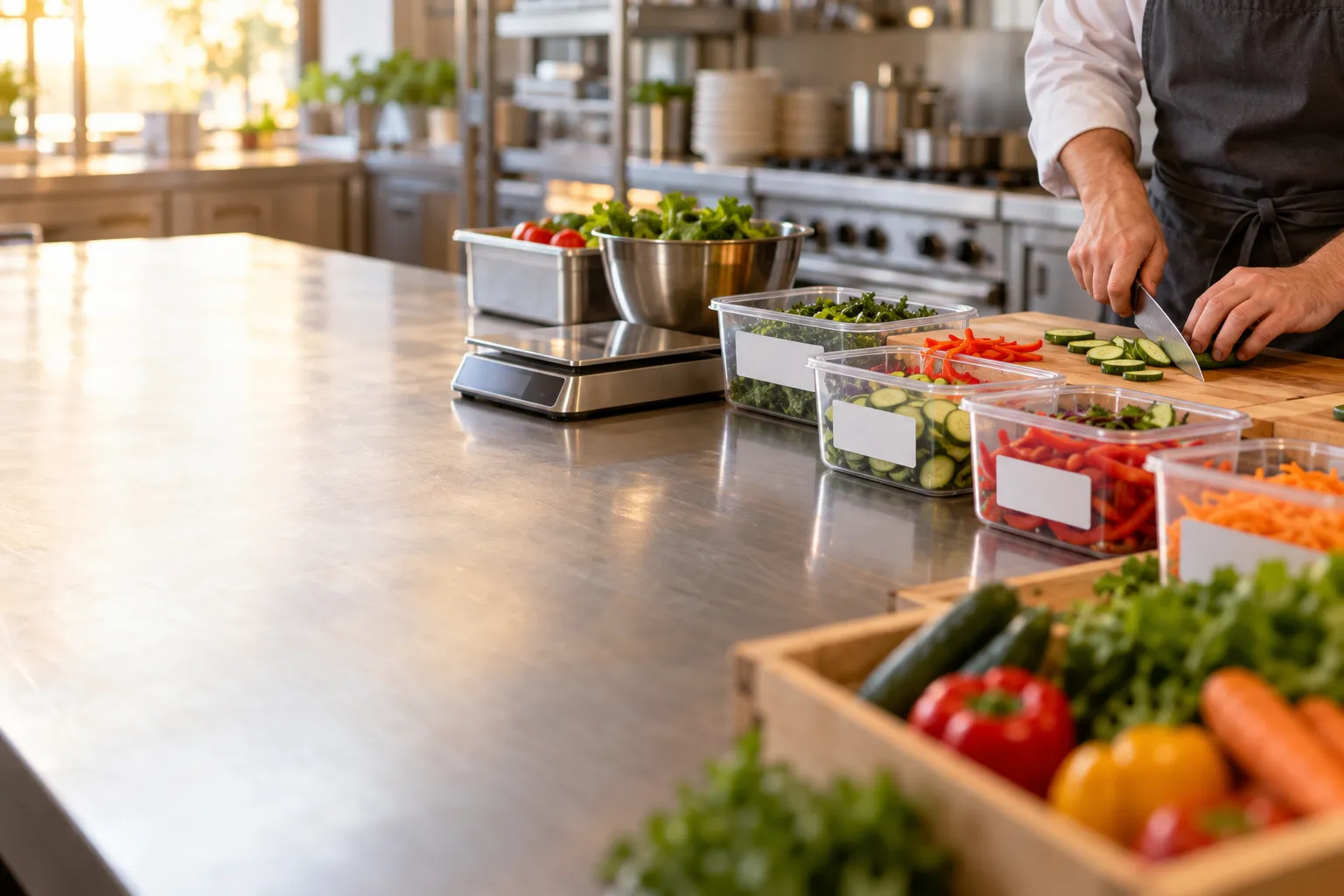
Food waste in a restaurant isn't just what is left on the guest's plate. Losses also come from preparing products, buying too much, storing things wrongly, badly chosen portions, or preparing too much mise en place before a quieter day.
If you want to reduce food waste, don't start by randomly cutting orders to suppliers. First check where losses actually happen. Only then can you improve purchasing, the menu, portioning, and kitchen organization.
First, start measuring what you throw away
The simplest tool is a waste log. You don't need an elaborate inventory program to begin with. A spreadsheet or a form where staff regularly record discarded products is enough.
For each loss, it is worth noting:
- the date,
- the product or dish,
- the approximate amount,
- the reason it was thrown away,
- where the loss occurred.
You can split the reasons into a few simple categories:
- expiry or spoilage,
- too much of the product prepared,
- a mistake during preparation,
- a return from the dining room,
- unused surplus,
- a canceled order,
- damaged product.
After a few weeks, recurring problems will start to show. If you most often throw away prepared vegetables at the end of Monday and Tuesday, the problem probably lies in the amount of mise en place. If certain sides regularly stay on plates, take a look at portion size.
Don't record only the cost
A note like "threw out products worth PLN 80" says little. What matters much more is the answer to the question: why they were thrown away. Only knowing the cause lets you take action.
It is also worth comparing losses with the level of sales. If one week was exceptionally busy, higher product use doesn't mean a problem. But if sales stay similar and the amount of waste grows, look for a specific cause.
Base your purchase planning on sales history
Ordering by feel works until the venue starts having big differences between days of the week. Friday evening can look completely different from Monday afternoon.
That's why, when planning deliveries, it is worth checking:
- sales from previous weeks,
- differences between days of the week,
- most popular dishes,
- peak traffic hours,
- bookings and orders placed in advance,
- events that may unusually increase or decrease traffic.
Example: if salmon dish sales were low for several Tuesdays in a row, there is no point preparing the same amount of the product as before a Saturday evening. On the other hand, before Friday it isn't worth cutting your stock just because the previous day was quieter.
It is best to compare similar days and periods: Monday with Monday, weekend with weekend, rather than just total sales week to week.
FIFO and simple labeling reduce storage losses
FIFO stands for "First In, First Out", meaning you use first the products that came into the restaurant earlier. The rule itself is simple, but it has to be visible in daily work.
Products should be arranged so that an older delivery doesn't disappear at the back of the fridge behind a new one. After opening a package or preparing a semi-finished product, it is worth labeling the container according to the venue's procedure.
Consistency matters most. If one shift labels products and another doesn't, after a few days it is hard to tell which package should be used first.
A simple check at the start or end of a shift helps:
- checking products with a short shelf life,
- moving older packages to an easily accessible spot,
- labeling opened and prepared products,
- deciding what has to be used first.
Prepare mise en place for the expected traffic
Preparing everything in advance can make the start of a shift easier, but it increases the risk of losses if traffic turns out lower than expected.
It is better to split preparation into stages. You can do part of it before opening and prepare further batches depending on actual traffic.
Example: on Friday at 7:00 PM you may have good reason for larger preparation of popular sides. On Monday at 3:00 PM, preparing the same amount may mean some products go unused.
It is good to combine:
- sales history,
- bookings,
- orders for later,
- the current number of orders,
- the experience of the person running the shift.
The point isn't to predict every order perfectly. The goal is to reduce situations where the kitchen prepares large amounts of products with no data behind it.
A shorter menu can mean fewer products to keep in stock
Every item on the menu needs certain ingredients. If you have a very wide menu where many products are used for only a single dish, the risk grows that part of your stock won't be used.
It is worth going through the menu and asking yourself a few questions:
- which dishes sell least,
- which require unique ingredients,
- whether one ingredient could sensibly be used in several items,
- whether some dishes are very similar,
- whether the number of variants is bigger than guests need.
This doesn't mean automatically removing every less popular dish. Some items may be important to the character of the venue. But it is worth knowing which menu elements force you to keep stock that is used very rarely.
You can find more about sales analysis and basic metrics in the article on metrics worth tracking in a restaurant.
Control portion size
If guests regularly leave the same part of a dish, the problem may lie in the portion size or its composition.
Watch the returns from the dining room. The note "guests often leave half the fries" is more useful than the general statement that "a lot of food is left over".
Reducing a portion shouldn't be random. First check what guests actually don't eat and whether the problem affects everyone or only a specific item.
Standardizing portions also helps the kitchen. If one person plates 150 grams of a side and another 250 grams, it is hard to predict ingredient use and calculate the real profitability of a dish.
Use surpluses deliberately, not by accident
If a product is approaching the point where it has to be used, you can sometimes include it in the dish of the day or a temporary menu item. It has to make culinary sense, though, and comply with the food safety rules in force in the venue.
Example: you have more fresh vegetables than you expected, and they are still fully fit for use. Instead of waiting until they lose quality, you can plan a dish for the next service that uses them naturally.
But don't treat the "dish of the day" as a way to hide random leftovers. The guest should get a full-value dish, prepared to the restaurant's normal standards.
Quickly pause sales of a dish you can no longer prepare
Food waste can also arise when the information that a product has run out reaches the staff from the kitchen too late.
Imagine a Saturday at 8:00 PM. One of the key ingredients of a popular dish is running out. The waiter is still selling it, or more online orders keep coming in, because nobody updated availability.
The kitchen starts preparing the other parts of the order, and only later it turns out the whole thing can't be made. You have to contact the guest, change the order, and some of the prepared products may go unused.
That's why it is important to be able to quickly stop selling an unavailable dish, and to have a clear procedure: who makes that decision and who can restart sales.
Orders for later help you assess the load earlier
An order placed in advance is also information for the kitchen. If in the morning you see a larger order scheduled for the evening, you can take it into account when preparing the station.
This is especially useful for larger orders or products that need advance preparation. It still doesn't replace a sales forecast, but it removes part of the unknowns.
On the other hand, be careful about preparing products for an order that may still be changed or canceled. The earlier you start preparing, the more you need a clear procedure for confirming and fulfilling orders.
What to do with surplus the restaurant won't use?
Sometimes, despite good planning, full-value food remains that the venue won't use in time. Depending on the type of product and local options, you can consider donating surplus to food aid organizations or other entities that can accept it legally and safely.
Before doing so, it is worth checking the current requirements for food safety, liability, storage, transport, and documenting the donation. The rules can depend on the type of food and how it was prepared, so donation alone should not be treated as a universal solution for every product.
How can Ranedo help reduce losses?
Ranedo is not an inventory system. It doesn't keep recipes, calculate ingredient stock, or compute food cost. You have to keep that data outside the system.
It can, however, provide the sales information needed for better planning. In all plans, analytics shows, among other things, the most popular dishes and peak traffic hours. You can use this data when planning purchases and mise en place.
In all plans you can also temporarily pause sales of a dish in the menu. If a key ingredient runs out, further orders don't have to come in for an item the kitchen can no longer prepare.
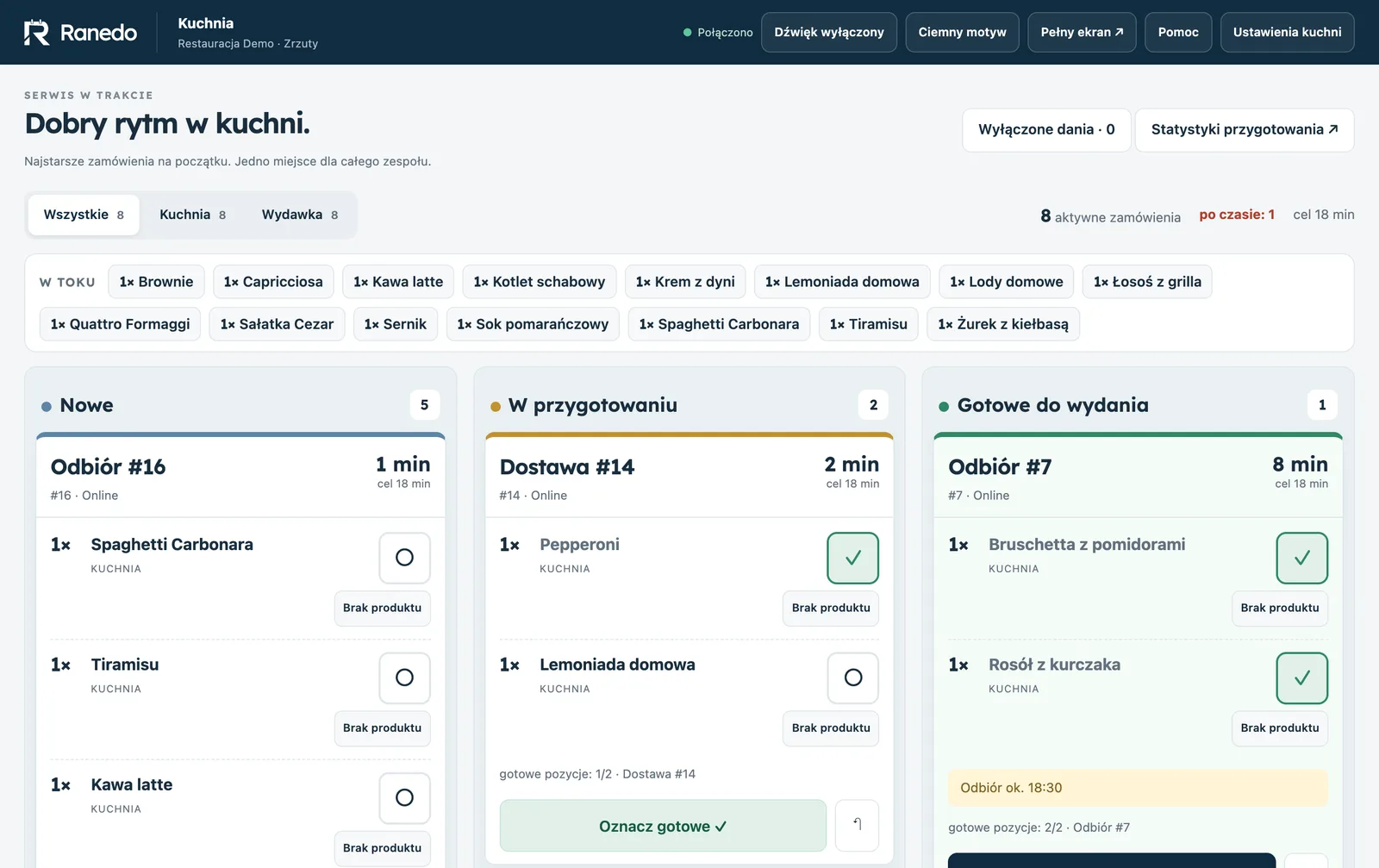
In the Plus and Pro plans plans, the kitchen screen lets you mark an item as out of stock. KDS also shows orders for later, so the kitchen sees part of the future load earlier. You can read more about organizing orders in the kitchen in the article on the KDS kitchen screen and paper tickets.
A simple food waste reduction plan for the next few weeks
Don't try to change everything at once. Start with a simple process:
- Start a waste log and record the reason for every larger case.
- After a week or two, check which reasons repeat most often.
- Compare them with sales history by day of the week.
- Adjust supplier order sizes where you see regular surpluses.
- Check FIFO and how opened products are labeled.
- Adjust mise en place to actual traffic.
- Review the least popular menu items and their unique ingredients.
- Check portions and what most often comes back on plates.
- Set a simple procedure for quickly pausing unavailable dishes.
After a few more weeks, analyze the waste log again. This way you will see not only how much you throw away, but above all whether the specific reasons have changed.
Use sales data for better planning
In Ranedo, sales analytics, the most popular dishes, traffic hours, orders for later, and the ability to pause sales of a dish help you react better to real demand. You can check the available plans or create an account and use the first month free, with all the features of the plan you choose.
Frequently asked questions
Where do I start reducing food waste?
With measuring. For a few weeks, record what you throw away, how much, and why. Without that, it is easy to improve areas that aren't responsible for the biggest part of the losses.
Does a shorter menu always mean less wasted food?
Not always, but it can reduce the number of ingredients used only occasionally. It is best to check the sales of individual items and what stock is needed to keep them.
How often should I analyze losses?
It is best to keep records on an ongoing basis and do a summary regularly, for example weekly. That makes it easier to link losses to specific days, shifts, and sales levels.
Does Ranedo calculate inventory and food cost?
No. Ranedo has no inventory module or recipes and doesn't calculate food cost. It does provide sales data you can use when planning purchases and preparing the kitchen.
What to do when an ingredient runs out during service?
The most important thing is to pass on the information quickly and stop further sales of the dish if it can no longer be prepared. In Ranedo you can pause sales of a menu item, and in the Plus and Pro plans mark an item as out of stock on the kitchen screen.
```