Management
Phone orders in a restaurant: how to cut the chaos
Do phone orders cause mistakes and queues in your restaurant? See how to organize the phone, online orders, and kitchen work.
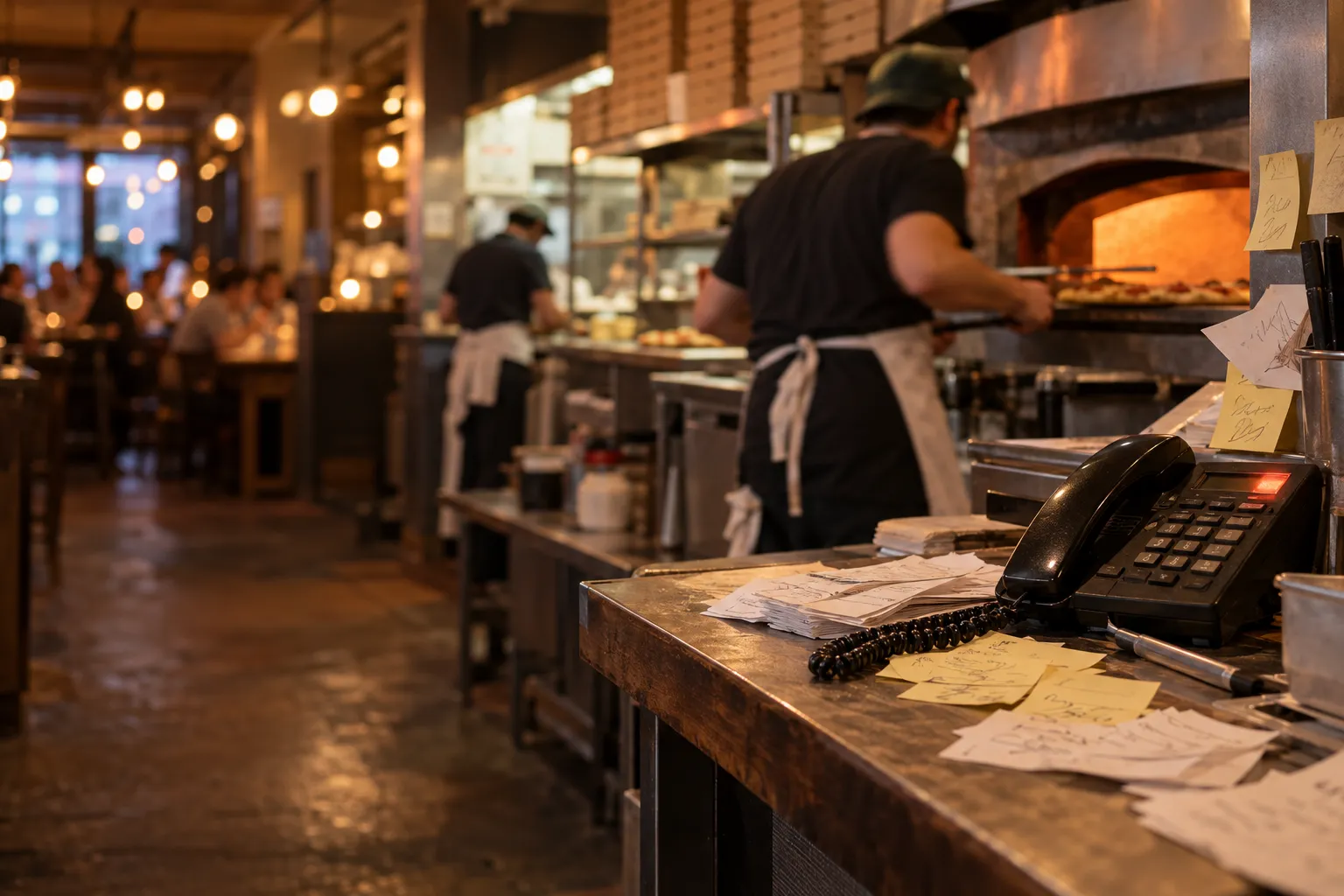
Taking phone orders in a restaurant is easy only when the phone rings once in a while. The trouble starts on Friday at 7:00 PM, when the floor is being served, there's a line at the register, the kitchen is waiting for information, and the phone rings again. Someone has to stop what they're doing, pick up the call, and write down the dishes, add-ons, address, phone number, and payment method.
In a moment like that, it's easy to mix up a street, forget to write down one add-on, or put the slip in the wrong place. It's even worse when nobody can answer the phone. The guest may try again, but may also just order somewhere else.
This doesn't mean you have to give up the phone completely. In many venues it's still needed. But it's worth making phone orders one of your organized sales channels, not a separate process running alongside the rest of the restaurant.
Why does the phone cause chaos exactly when you have the most work?
A phone call needs one person's attention for its whole duration. You can't listen well to the customer's address, take payments at the register, and answer the kitchen's question about a previous order all at once.
During a single call you usually have to find out:
- what the guest wants to order,
- which variant of the dish they choose,
- which add-ons they want,
- whether they have notes for preparation,
- whether the order is for pickup or delivery,
- what address it should go to,
- how to contact the guest,
- when the order should be ready.
Every extra item increases the risk of a mistake, especially when information is written down quickly on a slip or passed verbally to the next person.
An illegible slip quickly becomes the kitchen's problem
The person taking the order may know perfectly well what they wrote. A cook a few minutes later won't necessarily read the shorthand the same way.
Example: a guest orders a pizza without onions, with extra cheese, and asks to swap the sauce. At the register, a short note is written in a hurry. If it reaches the kitchen among several other slips, the risk grows that one piece of information gets overlooked.
The address is especially prone to errors
With delivery, a mistake in the address means more than a wrongly prepared product. The driver may go to the wrong place, loses time, and the guest waits.
The problem appears especially with similar street names, apartment numbers, gate codes, or addresses given in a noisy room.
A missed call can mean a lost order
Online, a guest can start an order regardless of whether a staff member has their hands free right now. A phone, on the other hand, demands an immediate response.
If it rings during the busiest time, you have several possibilities:
- someone interrupts their work and answers,
- the guest waits on the line for a long time,
- the call is declined,
- the phone rings with no answer.
You don't know whether the person who couldn't get through will try again in five minutes. They may just as well open another restaurant's website.
That's why one of the most effective ways to reduce the problem isn't hiring someone just for the phone, but giving guests a convenient alternative.
Mistakes cost more than just preparing a new dish
A mistake in a phone order can set off a whole chain of extra work.
Say the kitchen prepared a pizza with an add-on the guest clearly didn't want. The guest reports the problem after delivery. The restaurant has to find out what happened, prepare a new dish, arrange another delivery, or agree on another solution.
The cost is then not just the product. It also includes:
- kitchen time,
- the time of the person handling the complaint,
- another delivery,
- confusion at the pass,
- delays to other orders,
- an unhappy guest.
That's why it's worth first reducing the number of places where information can get distorted.
Start with a simple call script
Even if you want to move most orders online, the phone will probably stay. So it's worth standardizing how calls are taken.
You don't need an elaborate script. A fixed order of questions is enough.
- What does the guest want to order?
- Which variants and add-ons do they choose?
- Do they have notes on any item?
- Delivery or pickup?
- What's the address?
- What's the phone number?
- When should the order be ready?
- Repeat the whole order.
The last point is especially important. The person taking the order should read it back before ending the call.
It takes a few extra seconds that can catch a missing add-on, a wrong building number, or a mixed-up variant.
Don't write a phone order on a separate slip
If you have several sales channels, every order should get into one process as quickly as possible.
The worst setup looks like this:
- online orders are in the system,
- phone orders are on slips,
- orders from the floor are on yet another list.
Then the kitchen and the pass have to keep checking several sources. It's easy to miss an older slip or prepare a later order first.
A better solution is to enter the phone order into the same list where the other orders are.
A menu in the system reduces manual rewriting
Instead of writing the dish name from scratch, the employee can pick it from the menu and then select the right variant and add-ons.
If the guest passes on a special note for the kitchen, it should be added directly to the relevant item. That way the information travels on with the order instead of staying on a separate slip by the phone.
Give every order a short number
An order number is a simple way to reduce misunderstandings between the guest, the register, the kitchen, and the pass.
Instead of a conversation like:
Hello, I'm calling about two pizzas and fries, I ordered about half an hour ago.
the guest can give a specific order number.
This is especially useful when several people order similar sets or orders have similar names and addresses.
The number should be the same at every stage. If the register talks about order #17, the kitchen and the pass should also see #17.
You'll cut the most calls by giving guests convenient online ordering
Some people call not because they like ordering by phone, but because they don't know they can order directly from the restaurant's website.
If you have your own ordering system, information about it should be easy to find.
You can put the website address or an “Order online” button:
- on the restaurant's home page,
- in your business profile on the search engine,
- on social media,
- on a flyer included with the order,
- on the packaging,
- on materials in the venue.
If you want to improve the process of placing orders through the website itself, also see the article about why guests don't finish online orders.
Voicemail can redirect some of the traffic
If at peak times you often can't answer the phone, you can consider a short recording about the option of placing an order through the website.
The message should be short. For example:
If you're calling about an order, you can also place it directly on our website.
Not everyone will use it, but some people, instead of calling again, may go straight to the online channel.
A confirmation reduces the guest's uncertainty
With a classic phone order, after hanging up the guest often has no trace of the order other than their own memory.
After a dozen minutes they may start to wonder:
- whether the address was written down correctly,
- whether the order definitely reached the kitchen,
- whether they heard the delivery time right,
- whether someone forgot about their order.
That's why for online orders, an automatic confirmation and the ability to check the current status are useful.
The fewer calls like “is my order on its way yet?”, the fewer extra interruptions for the staff.
Notifications help catch orders nobody has reacted to
Moving orders from the phone to the internet won't solve the problem if a new order can go unnoticed for a long time.
The system should alert the team that a new order has come in. An additional warning is also useful if nobody has reacted to it within a set time.
This matters especially in a smaller venue, where the same person may be handling the register, the pass, and other duties at the same time.
One order list makes the kitchen's work easier
If an online order appears in one place and a phone order is passed to the kitchen on a slip, cooks are still working from two queues.
It's much easier when all orders go into the same process and share common numbers.
In venues that use a kitchen screen, orders can then be handled in a single sequence. You can read more about this way of organizing work in the article on the KDS kitchen screen instead of paper tickets.
How does Ranedo handle phone orders?
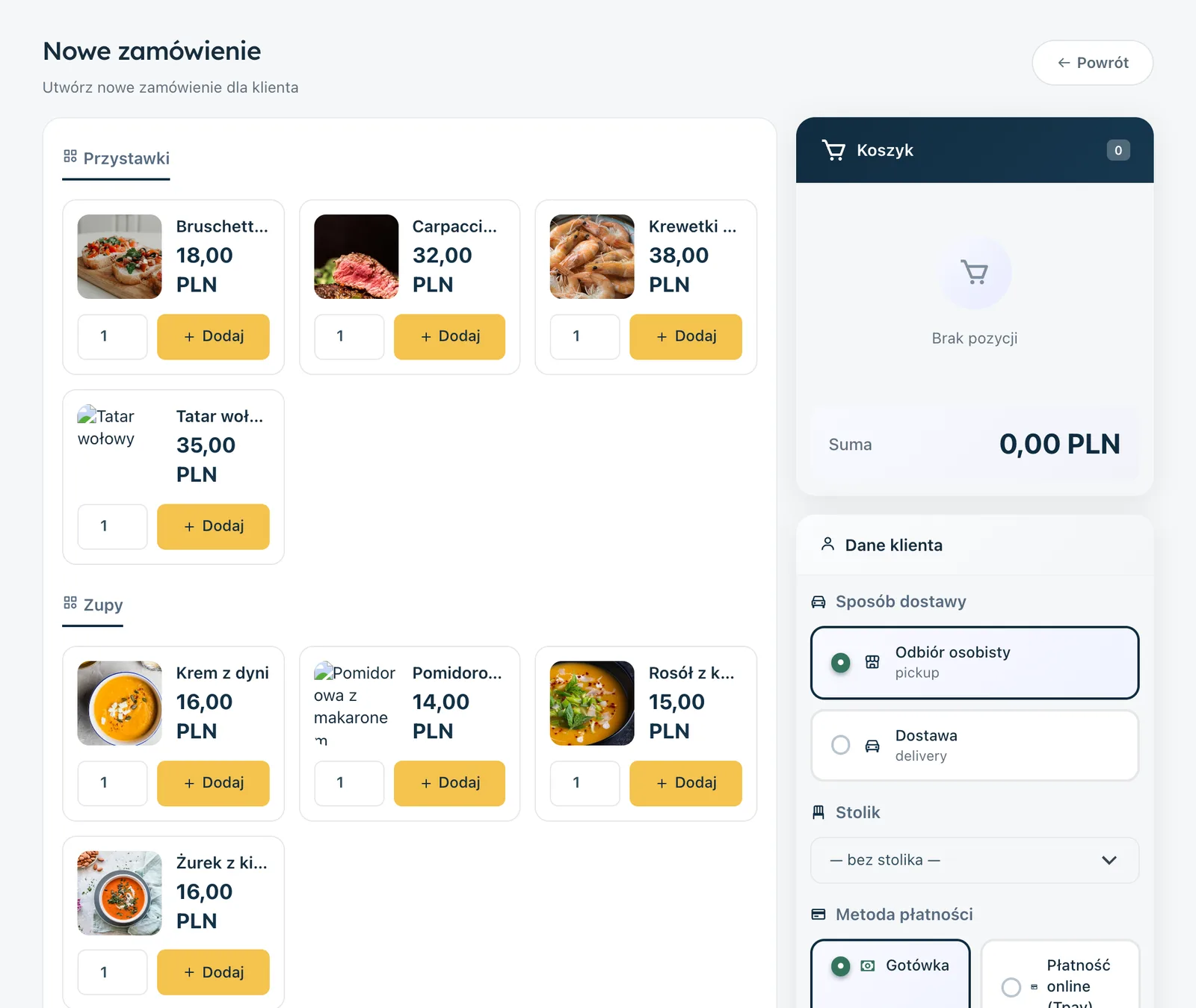
In Ranedo you don't have to give up the phone. In the all plans an order taken during a call can be added manually in the dashboard as a new order.
The employee picks dishes directly from the menu, together with the available variants and add-ons. They can also add a note to a specific item for the kitchen, the guest's details, and the fulfillment method, for example delivery.
Such an order goes to the same list as online orders and gets a short number, for example #12. This number can be used by the staff, the kitchen, and the guest.
If the guest later calls with a question about the order, they can give the short number instead of describing what they ordered and at what time.
Online orders without a phone call
On all Ranedo plans, a guest can place an order directly on the restaurant's website. Available options include pickup, delivery, dine-in orders, and orders for later.
After placing an order, the guest receives a confirmation by e-mail. If they don't provide an e-mail address, the confirmation can be sent by SMS. The message includes a link to track the order status.
This way, some questions about status don't have to end in another call to the restaurant.
Notifications for the team
Ranedo can notify the team about new orders with push notifications on the phone and computer. E-mail and SMS notifications about new orders and orders left without a reaction are also available.
SMS messages are billed separately, so it's worth choosing the notification method to fit how your venue is organized.
Plus and Pro: the same orders on the kitchen screen
In the Plus and Pro plans the KDS kitchen screen is available. Orders reach it with the same short numbers and can go through the stages New, In development and Ready to serve.
This way, an order taken by phone and entered into the dashboard doesn't later need a separate slip. It goes into the same queue the kitchen uses for the other orders.
How to gradually reduce phone chaos?
You don't have to change your whole way of working in one day. You can introduce the next elements in stages.
- Set a fixed pattern for phone calls.
- Always repeat the order, address, and fulfillment method to the guest.
- Stop keeping phone orders only on slips.
- Enter them into the same list as the other orders.
- Give the guest a short order number.
- Put information about online orders on your website, business profiles, and materials in the venue.
- Add the website address or a QR code to flyers and packaging.
- Watch how many calls are just a question about the order status.
After some time, you can check what share of guests still prefer the phone and what share started using the website. The goal doesn't have to be removing the phone completely. The point is for the phone to stop being the only way to place an order and a source of a separate work queue.
The phone can stay, but it doesn't have to run the whole restaurant
For some guests, a phone call will still be the most convenient. There's no need to fight it. The problem isn't the phone itself, but the lack of an organized process after the call is answered.
If every phone order immediately goes to a shared list, has its own number, and is visible to the right people, it's much easier to keep order during busy times.
In parallel, it's worth directing more and more guests to your own online channel. There they can choose dishes, variants, and add-ons themselves, enter an address, and get a confirmation without tying up an employee for several minutes of a call.
Organize phone and online orders in Ranedo
Ranedo lets you handle online orders and manually add orders taken by phone in one place. Each gets a short number, and the team can be notified about new orders and about orders with no reaction.
Check the plans or Ranedo plans or create an account and use the first month free, with all the features of the plan you choose.
Frequently asked questions
Is it worth giving up phone orders completely?
Not always. Some guests still prefer the phone. But it's worth giving them a convenient online alternative and making sure phone orders go into the same process as the others.
How to reduce mistakes in phone orders?
Use a fixed order of questions, write the order directly into the system, and before ending the call, repeat the dishes, add-ons, address, and fulfillment method.
Can a phone order be entered into Ranedo?
Yes. On all plans, an employee can manually add a new order by choosing dishes, variants, and add-ons from the menu and filling in the guest's details, the fulfillment method, and notes for the kitchen.
Do phone and online orders share the same numbering?
Yes. In Ranedo they go to the same list and use short order numbers. This way the guest can give the number when they get in touch about the status.
Does the kitchen see orders taken by phone?
On the Plus and Pro plans, manually added orders can go to the KDS kitchen screen together with the other orders, with the same short number.
```