Online sales
Delivery zones and minimum order — how to set up profitable delivery
Delivery zones and a minimum order help you control the cost of delivery. See how to calculate a run and set rules for different areas.
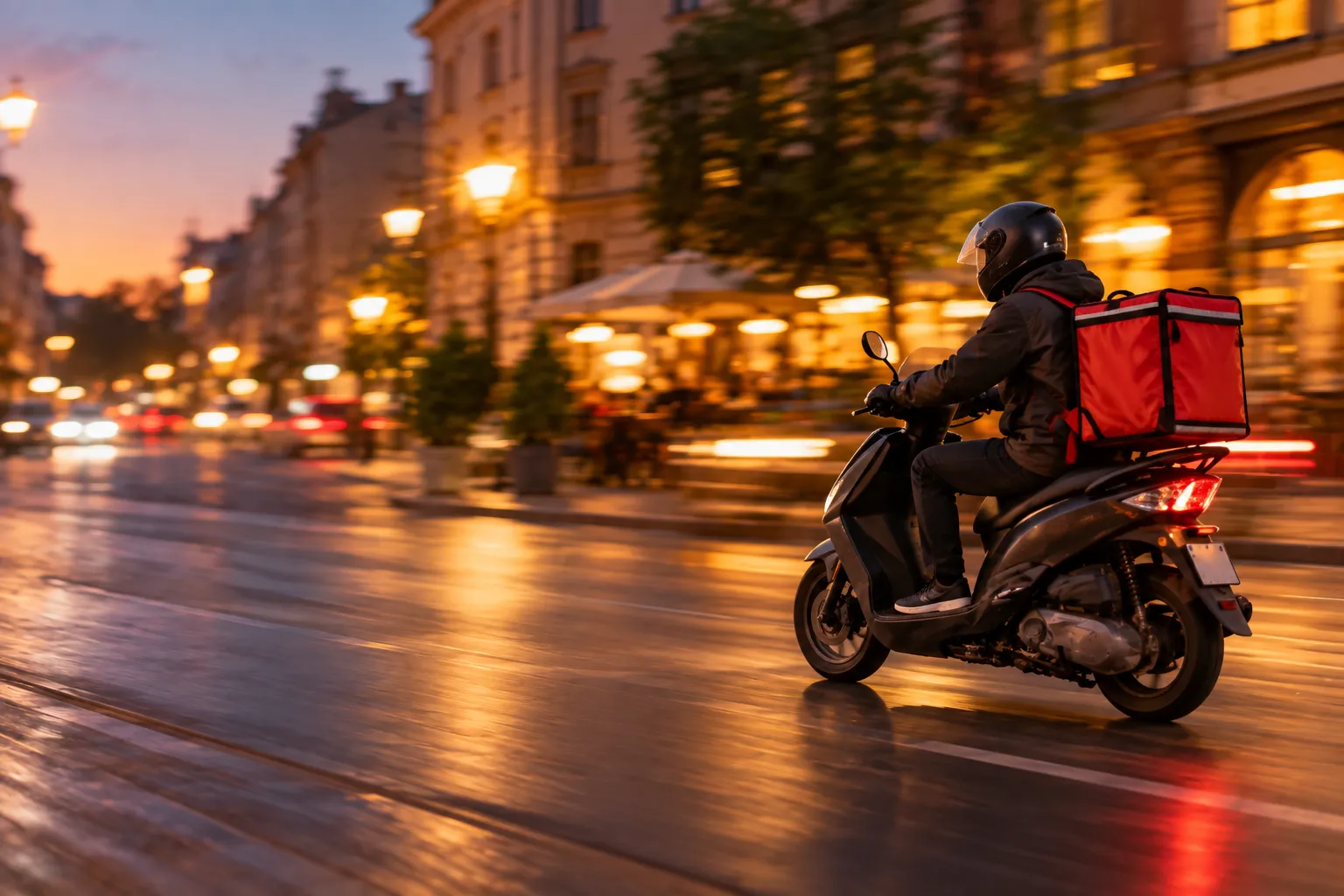
Delivery can be a convenient sales channel, but only if its rules match your real costs. A single delivery price for the whole city looks simple, but in practice a short run to the next neighborhood and a trip several kilometers farther are two completely different costs.
The problem shows up especially when a far address comes with a small order. The restaurant prepares the food, packs it, sends out a driver, and after the run it turns out the delivery cost ate a large part of the margin on the whole order.
That is why it is worth setting delivery zones, minimum order amounts and fulfillment times instead of using one rule for every address.
Why a single delivery price for the whole city often does not work
Let's take a simple situation. A restaurant charges PLN 8 for delivery whether the driver goes one kilometer or seven.
In the first case, the driver can be back quickly and pick up the next order right away. In the second, the run takes much longer, burns more fuel and ties up the driver for the time in which they could have handled several closer addresses.
If a small order value is added to that, the whole transaction can be barely profitable despite positive sales.
The most common problems with a single rate are:
- long runs for too small an amount,
- no clear boundary of the delivery range,
- disputes with guests over whether a given address is still served,
- an overly optimistic delivery time for farther areas,
- a driver coming back without another order,
- no link between delivery cost and actual workload.
First, work out the cost of a single run
You do not need a very complicated model. To start, it is enough to calculate a few basic elements.
You can include:
- the driver's working time,
- the cost of fuel or electricity,
- packaging used for delivery,
- other costs directly tied to making the run.
A sample calculation
Let's say, for the sake of example only, that one farther run takes the driver 35 minutes round trip.
Let's assume, for example:
- driver time cost per run: PLN 18,
- fuel: PLN 7,
- packaging: PLN 4.
The total example cost of the run is then:
PLN 18 + PLN 7 + PLN 4 = PLN 29
If a guest places an order for PLN 35, it is easy to see that sales alone do not yet mean profitability. You still have to cover the cost of ingredients, kitchen labor and the venue's other costs.
That is exactly why the minimum order amount for farther zones can be higher than for addresses close to the restaurant.
Do not count only fuel
One common mistake is reducing the cost of delivery to fuel. But on a long run, the biggest constraint can be the driver's time.
If a single delivery ties them up for 40 minutes, they cannot handle other addresses in that time. When it is busy, that can matter more than a few zloty difference in fuel.
So when setting your range, it is worth looking at:
- travel time at typical hours,
- the return trip to the venue,
- the option of combining several runs,
- street traffic,
- natural barriers such as a river, railway tracks or a bypass road.
Concentric zones: the simplest model
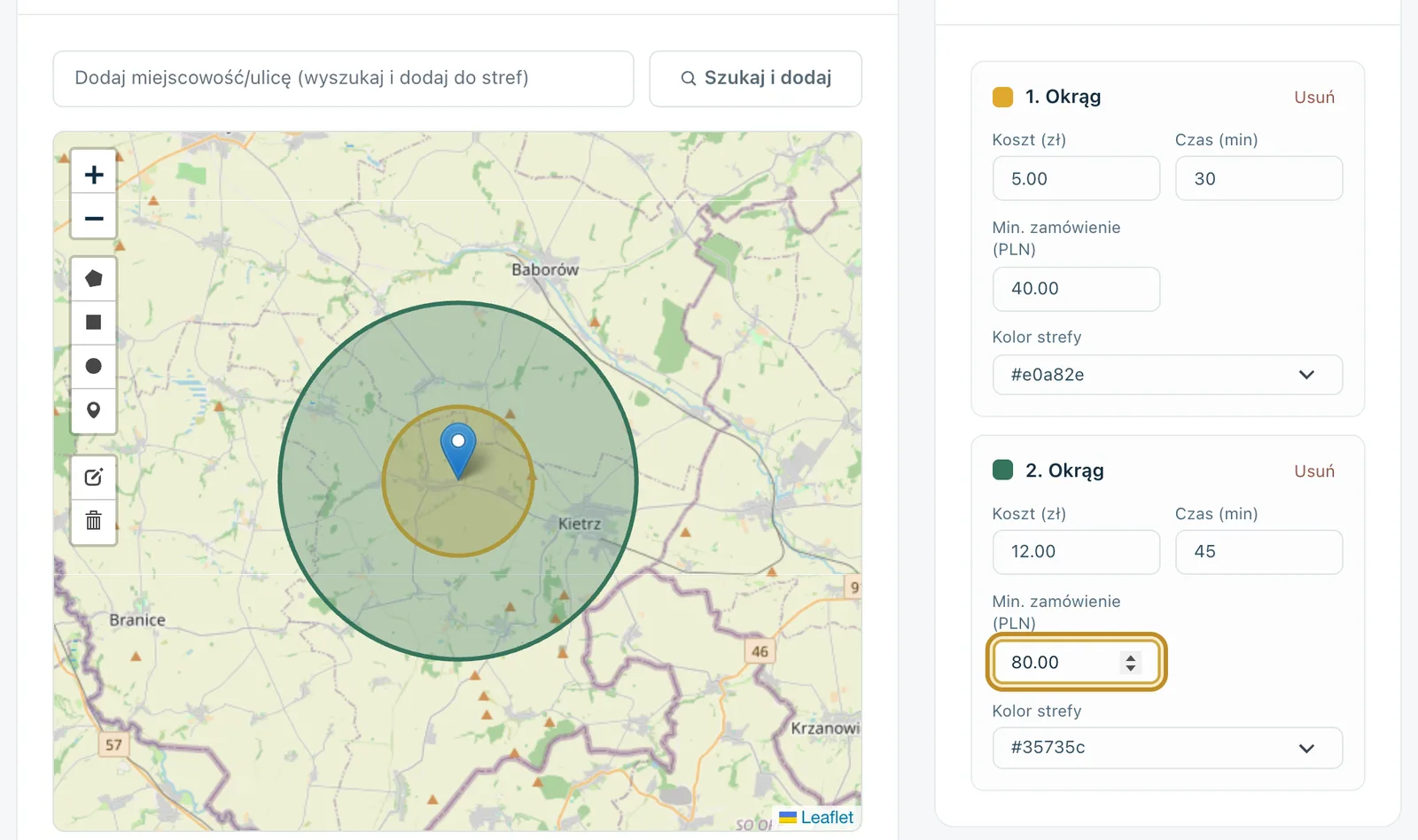
The easiest way is to create several circles around the restaurant.
For example, you can have:
- a near zone,
- a middle zone,
- a far zone.
Each of them can have a different delivery price, minimum order amount and estimated fulfillment time.
This model is simple to understand and easy to maintain. It works well where the city layout is fairly regular.
Areas on the map: when a radius is not enough
A radius does not always match real travel conditions. Two addresses can be a similar distance away in a straight line, but one requires crossing a bridge, going through downtown or a long detour.
In that case, a zone drawn directly on the map works better.
You can, for example, cover with delivery:
- specific neighborhoods,
- one side of the river,
- a certain part of the city,
- an area bounded by roads or other natural borders.
This solution reflects the real travel time better than a simple circle.
Postal codes: good for clear district boundaries
Another way is to assign delivery to postal codes or their prefixes.
This can be useful if you serve several clearly separated areas or towns around the city.
It is worth checking beforehand, though, whether the layout of codes really matches your logistics. A postal code does not always reflect travel time perfectly.
The minimum amount should rise with the cost of serving the zone
If a farther zone generates a higher cost and takes more time, it makes sense to set a higher minimum for it.
Example:
Let's say that for the nearest zone the run is short and cheap. You can then accept smaller orders. For a farther area, the same threshold can lead to small, unprofitable deliveries.
The point is not to set the minimum at random, though. It is best to work out:
- average order value,
- the cost of a typical run,
- food cost,
- the cost of labor,
- how often orders come from that zone.
A minimum amount is a tool for protecting the profitability of delivery, not a penalty for a guest who lives farther away.
Different delivery times for different zones
A guest who lives a kilometer from the venue should not see the same delivery time as someone who lives much farther away, if the real travel is different.
So it is worth assigning a fulfillment time to each zone.
Example: on Friday at 7:00 PM, a farther part of the city can require a much longer trip than in the middle of the day. If your system lets you set separate rules, it is worth factoring in the real workload.
The worst thing is promising too short a time just to make the order look more attractive. A delay and a call from an upset guest usually cost more than honest information from the start.
Free delivery does not have to mean free delivery always
Free delivery can be a promotion, but it should not automatically mean the restaurant covers the cost of every run regardless of order value.
A better solution can be free delivery once a certain threshold is exceeded.
Example: instead of a “free delivery” message, you can set a rule:
free delivery from a certain order value.
That way the promotion encourages a bigger cart, not small, costly runs.
The threshold should be worked out from your margin and costs, not copied from competitors.
Show the delivery range before the cart, not at the end
A guest should not build a whole order only to find out on the last screen that their address is out of range.
The sooner they can check delivery availability, the better.
They should quickly know:
- whether you deliver to their address,
- how much delivery costs,
- what the minimum is,
- what the estimated time is,
- whether they can choose pickup instead of delivery.
It is worth showing this information before the cart is finalized.
You can find more on how such details affect the buying process in the article on online orders and conversion.
What to do with an address out of range?
Do not try to serve every address at all costs.
If a trip to a given area is unprofitable or hard to organize, it is better to say clearly that delivery is not available.
The guest can then:
- choose pickup,
- change the address,
- give up without being given false expectations.
That is a better solution than negotiating by phone, or “the driver will go this time after all”.
An hourly order limit protects the kitchen and deliveries
Even well-set zones do not solve the problem if you take more orders in a short time than the kitchen and drivers can handle.
So it is worth setting the maximum number of orders accepted in a given channel per hour.
Example: if on Friday between 6:00 and 7:00 PM the kitchen can smoothly prepare a certain number of deliveries, accepting twice as many will not suddenly increase the venue's capacity. It usually means delays.
A limit can help you stop further orders before the situation becomes unmanageable.
Not all fulfillment methods have to look the same
Do not limit yourself to just two labels: delivery and pickup.
Depending on the venue, you may need your own fulfillment methods, for example:
- pickup from the window,
- pickup at the entrance,
- ordering on site,
- another method set by the restaurant.
What matters is that the rules of each channel are clear to the guest.
How do delivery zones work in Ranedo?
Delivery zones are available on the all Ranedo plans. You can set them up in several ways.
Radius from the venue
You can create a zone as a circle around the restaurant and set the radius in kilometers. This is the simplest model for a regular delivery range.
An area drawn on the map
You can also draw your own area on the map, for example a polygon or rectangle. That lets you exclude areas that are close in a straight line but not worth it logistically.
Example: you can cover one side of a river with delivery and exclude the other if it needs a long detour.
Postal codes
Zones can also be based on postal codes or their prefixes. This is useful when your service area matches specific postal code districts.
Each zone has its own rules
For each zone in Ranedo, you can set separately:
- the delivery cost,
- minimum order amount,
- delivery time.
You can also set a default cost.
What if an address matches several zones?
In Ranedo, the guest's address is checked automatically.
If the same address falls in several zones, the system takes into account the cheapest of the matching zones.
If an address is not in any active zone, delivery is not available. The guest can then choose another fulfillment method, such as pickup.
That way staff do not have to check the map by hand for every order.
The minimum amount and limits can also be set for a channel
Besides the terms of specific zones, you can set separate rules for taking orders in individual channels.
In Ranedo, you can set, among other things:
- order-taking hours,
- the minimum amount,
- the hourly order limit,
- fulfillment time.
That way delivery does not have to work on the same rules as pickup or orders on site.
Plus and Pro: free delivery as a promotion
In the Plus and Pro plans you can create a promotion with free delivery.
It can work under conditions you set, for example once the cart value exceeds a certain amount.
This lets you use free delivery as a promotional tool instead of a fixed cost the restaurant bears on every order.
Ranedo does not arrange drivers or an outside courier
Ranedo helps you take the order, check the address and apply the right delivery rules, but it does not integrate with courier companies.
You arrange delivery yourself. The system does not replace route planning, hiring drivers or fleet management.
If you are growing your own sales channel instead of relying only on intermediaries, you can read more about this model in the article on portal commissions and your own online orders.
How do you set up zones step by step?
- Work out the example cost of a short, medium and long run.
- Check the real travel time at the busiest hours.
- Decide whether circles are enough or you need your own areas on the map.
- Set separate delivery costs for each zone.
- Raise the minimum order where the run is more expensive.
- Set a realistic delivery time.
- Decide what a guest outside the range should see.
- Add an order limit if the kitchen or drivers have limited capacity.
- Test a few addresses at the edge of each zone.
- After a few weeks, compare the number of orders, run costs and average cart value.
Zones should follow economics, not administrative borders
The fact that an address is in the same city does not mean it costs the same to serve.
One district may be close to the venue with good access, while another requires driving through a congested downtown. That is why zones are best built on the real time and cost of a run.
They also do not have to stay fixed forever. If you see that a certain area generates few orders but ties up a driver for a long time, you can change the cost, the minimum or the range.
Try delivery zones in Ranedo
In Ranedo, on all plans, you can create delivery zones as a radius from the venue, your own area on the map or postal codes, and then set the cost, minimum order and delivery time for them. The guest's address is checked automatically.
Check the plans or Ranedo plans or create an account and use the first month free, with all the features of the plan you choose.
Frequently asked questions
How do I set the minimum order amount for delivery?
It is best to base it on the real cost of the run, the margin on the order and the average cart value. Farther zones may need a higher minimum than addresses close to the venue.
Can each zone have a different delivery price?
Yes. In Ranedo, each zone can have its own delivery cost, minimum order amount and fulfillment time.
What if an address matches two zones?
In Ranedo, if an address falls in several zones, the cheapest of the matching zones is applied.
What will a guest outside the delivery range see?
If an address is not in any active zone, delivery is unavailable. The guest can choose another fulfillment method, such as pickup.
Does Ranedo provide drivers or an integration with a courier company?
No. Ranedo does not integrate with courier companies. The restaurant arranges delivery itself, and the system handles the order-taking rules and address checks.