A queue at the counter
A guest takes a table, then still has to get up and wait at the counter to order. At lunchtime the queue grows faster than your staff can handle it.
For bistros and cafés
Your guests want to sit down fast, order fast and add another coffee or dessert. Ranedo Restauracja gives them the menu on their phone after they scan the code at the table, and gives you one place for the menu, orders and regulars.

Everyday life at your venue
A guest takes a table, then still has to get up and wait at the counter to order. At lunchtime the queue grows faster than your staff can handle it.
Someone would like another coffee or a piece of cake, but doesn't want to stand in line again. They give up and leave.
Cake of the day, a seasonal drink, a new price for coffee. A printed menu is out of date before you can replace it.
How Ranedo helps
01 / QR orders
Every table has its own QR code. A guest scans it with their phone and the menu opens in the browser, with no app to install and no account to create. They pick dishes and extras and add notes, for example "no ice", at their own pace. The order reaches the system with the table number, so your staff know where to take it and don't have to ask at every tray.
An additional order is as easy as the first. The guest adds a coffee or dessert from the same phone, and your staff see the new items at the same table. Calling a staff member also works at the table, for when someone prefers to ask something in person. You set the payment method according to your venue's configuration.
You don't have to turn on ordering right away. You can start with a menu preview only, where guests read the menu on their phone and your staff still take the order. For closed tables you can require staff approval or block ordering, which limits orders made from old photos of codes. You download the codes as PNG files for printing.

02 / Menu
You manage the menu in one place: categories, dishes, prices, photos, variants, extras and allergens. When you add a cake of the day or change the price of coffee, guests see the new offer under the same QR code. The printout at the table doesn't have to change. You only need a new printout when you generate a code again, because the previous one stops working.
The same menu appears on your venue's website, in QR codes and in the staff dashboard. You don't maintain a separate menu in a file, on the website and at the counter. When something runs out, you mark the item as unavailable and nobody can order it. This matters especially for baked goods and dishes of the day that you sell until they run out.
Sets help you organize your lunch offer. You combine at least two dishes, for example a soup with a drink, set the price of the set and limit it to selected days and hours. The kitchen receives individual items, so preparation doesn't change. When any component of a set is unavailable, the set can no longer be ordered. Sets and promotions depend on your plan.
In practice
03 / Takeaway
Some guests don't want to sit down, only to pick up an order on their way to work. On your venue's website they browse the menu, choose pickup and pay online or on pickup, depending on what you turn on. Tpay handles online payments (BLIK, fast bank transfers, cards), and the money goes to your Tpay account.
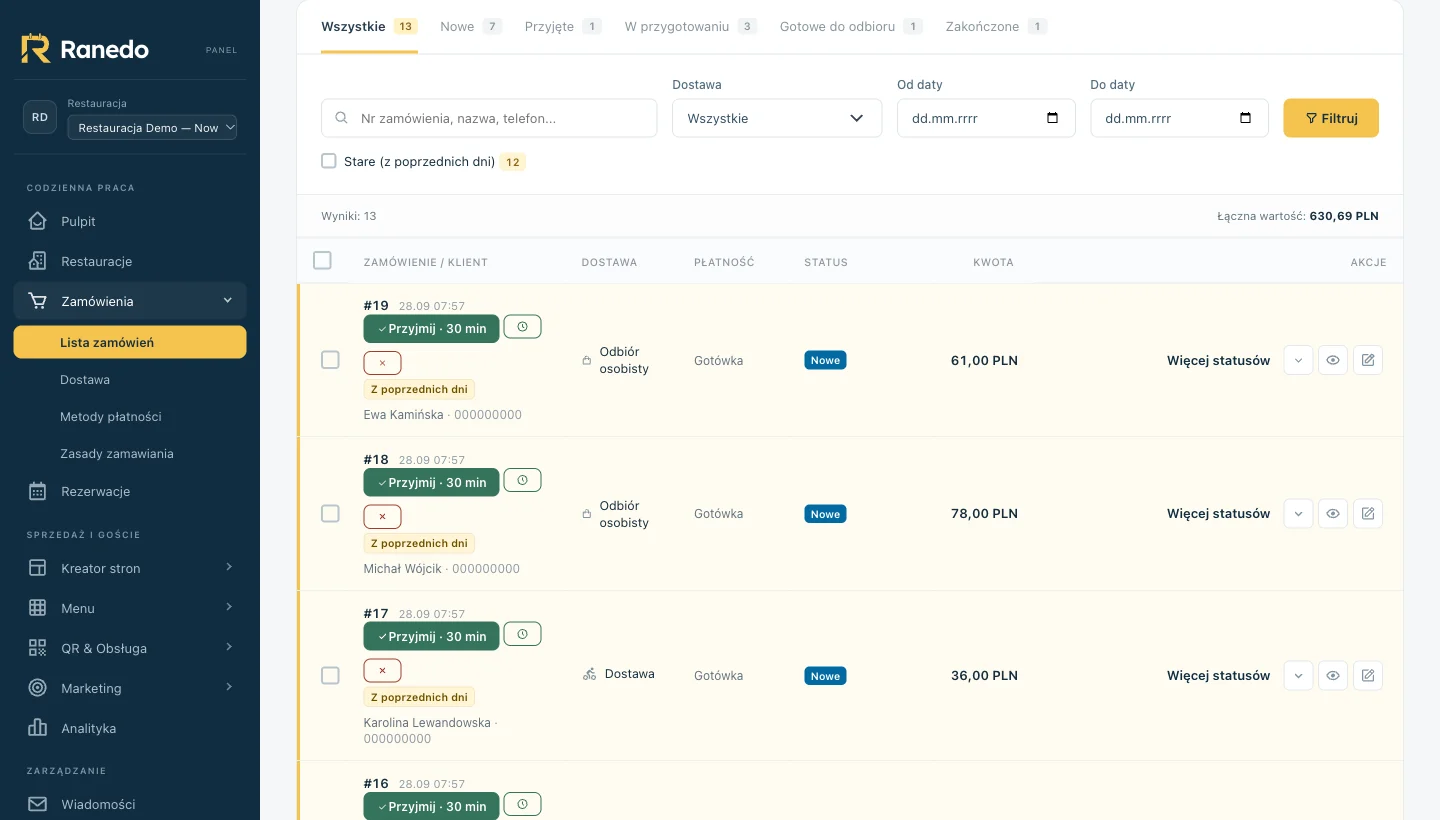
A guest can also order for a later time. The order has a fulfillment time visible to your staff, and the available slots come from your settings. After placing the order, the guest gets a confirmation by e-mail or SMS, with a link to track the status, so they don't have to call to ask whether the coffee is ready yet.
Your team learns about a new order from a push notification on a phone or computer. You set order-taking hours separately for each channel, and an hourly order limit protects the counter from too many orders at once. You can turn on pickup on its own, without delivery.

04 / Regulars
In a café and bistro, many people come regularly. The loyalty program awards points at your rate for eligible online and QR orders, with the guest's e-mail address. The balance and the history of changes are in the system, so when a guest asks how many points they have, your staff check in a few seconds instead of going through receipts.
You prepare the rewards catalog yourself: a discount, a free item or delivery, each with a cost in points. Your staff give out the reward at the venue and manually deduct the points with a reason. The program runs on points; stamps and cashback are not currently supported. Orders taken in the waiter dashboard don't earn points.
Discount codes help liven up the quieter hours. You set the type of discount, the date, the minimum order value and usage limits. To guests who have agreed to be contacted, you can send an e-mail campaign about a new menu or a lunch offer and see sends, opens and clicks. The loyalty program, guest database and campaigns depend on your plan.
In practice
A day with Ranedo Restauracja
The first pickup order at 8:00. Your staff see the fulfillment time and prepare the coffee on time.
You add the cake of the day to the menu. Guests see it under the same QR code at the tables.
A guest by the window orders a lunch set from their phone. Your staff get the order with the table number.
The same guest adds a coffee and dessert, without standing in line.
The cheesecake runs out. You mark it as unavailable and it disappears from ordering.
A regular customer asks about her points. Your staff check the balance and give out a reward from the catalog.
How to start
Create an account and add your menu.
Set up pickup, delivery and payments.
Share the link to your orders.
The first 30 days are free, with all the features of the plan you choose and no card required.
Questions
Your question isn't answered here? Write to us, and someone who knows the product will reply.
Ask a question →No. The menu opens in the phone's browser after scanning the code. You don't need an account to browse the menu or order via QR.
Yes. You can turn off ordering and leave only menu browsing. It's a good way to introduce QR at your venue gradually.
No. You change the menu in the system and the code stays the same. You only need a new printout after generating the code again.
Set up approval for orders from closed tables or block ordering at those tables. This is not a verification of the guest's location.
It depends on how ready your menu is. You can also send us your menu and information about your venue, and we'll prepare the starting configuration for free. The first 30 days are free, no card required.
Other types of venues
Start free of charge
The first 30 days are free, no card required.


